
Together, they connect service requests with vendor profiles, compliance documentation, portal access, and assignment activity.
Your team can review compliance warnings when selecting vendors and use configured override controls when appropriate.
Manage Third-Party Services From Request to Completion.
When a project requires outside services, TPS365 gives your team one place to request quotes, compare vendor responses, coordinate approvals, assign work, schedule jobs, and track costs. Connected with Vendor365, TPS365 keeps third-party work organized while giving your team visibility into vendor compliance and service activity.
Book a Demo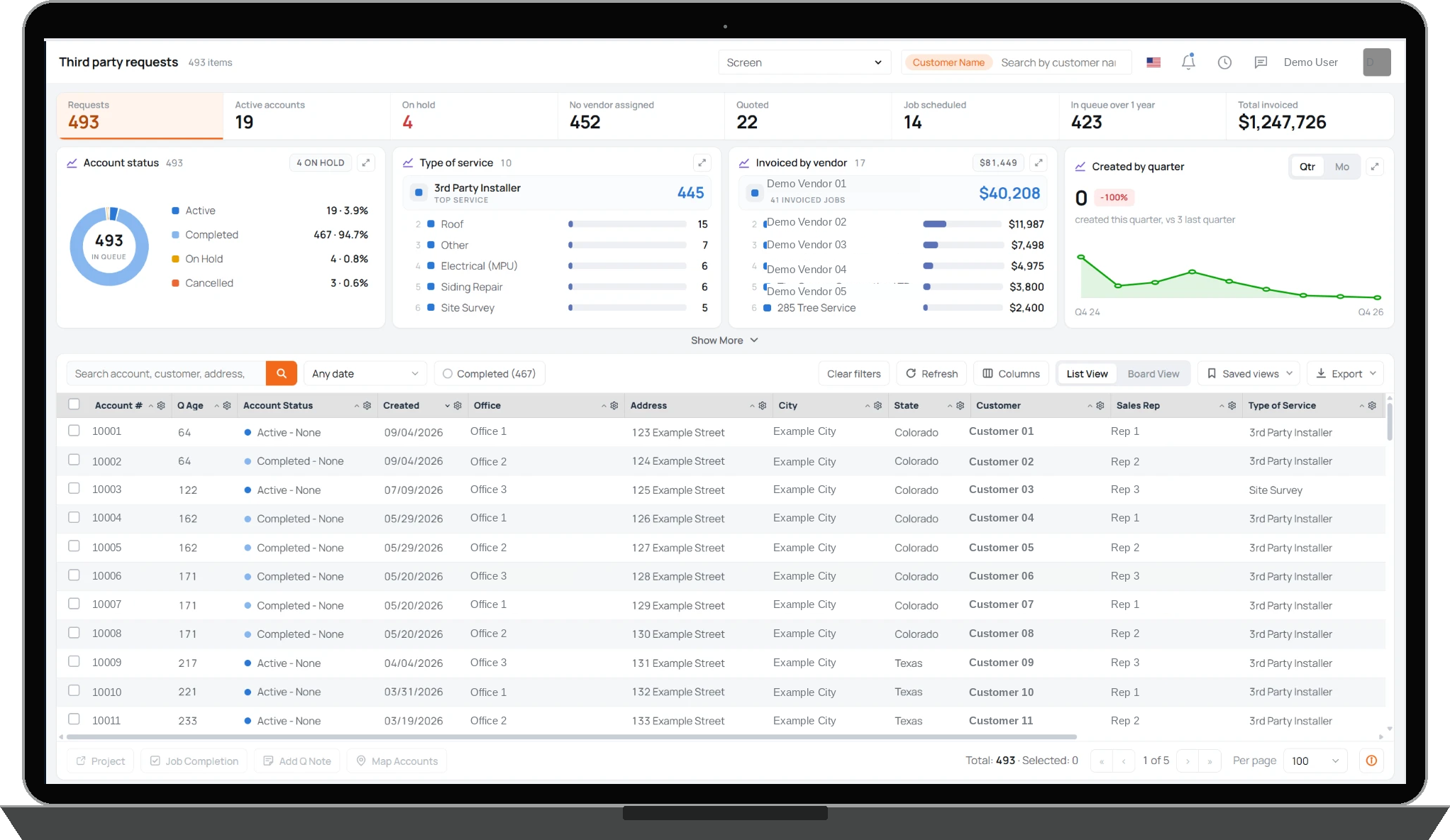
When your team needs outside work completed, create a third-party service request directly in Core365. Identify the service needed, provide instructions, attach supporting information, and request quotes from multiple vendors.
Vendors can respond with pricing, allowing your team to review quotations, coordinate approvals, and select the appropriate provider. Once assigned, your team can schedule the work, monitor progress, review supporting photos, and maintain a record of service activity.
TPS365 works alongside Vendor365, giving your team visibility into vendor documentation and compliance status during assignment. When compliance issues exist, staff receive warnings and can use the applicable override controls.
From the initial request through completion, service history, vendor information, quotations, and associated costs remain connected to the project.
From roof repairs and electrical upgrades to tree removal, site surveys, and specialized installation work, TPS365 helps your team organize services performed by third-party providers. Create requests, identify the type of work needed, track request status, and see which jobs require attention. A centralized queue gives your team visibility across active requests, completed work, outstanding assignments, scheduled jobs, and associated costs.
When a service requires outside pricing, TPS365 lets your team send Requests for Quotation (RFQs) to multiple vendors. Manage vendor responses, review quoted amounts, document instructions, and coordinate approvals within the service request. Your team can select a vendor, schedule the work, and keep the decision and supporting information connected to the project.
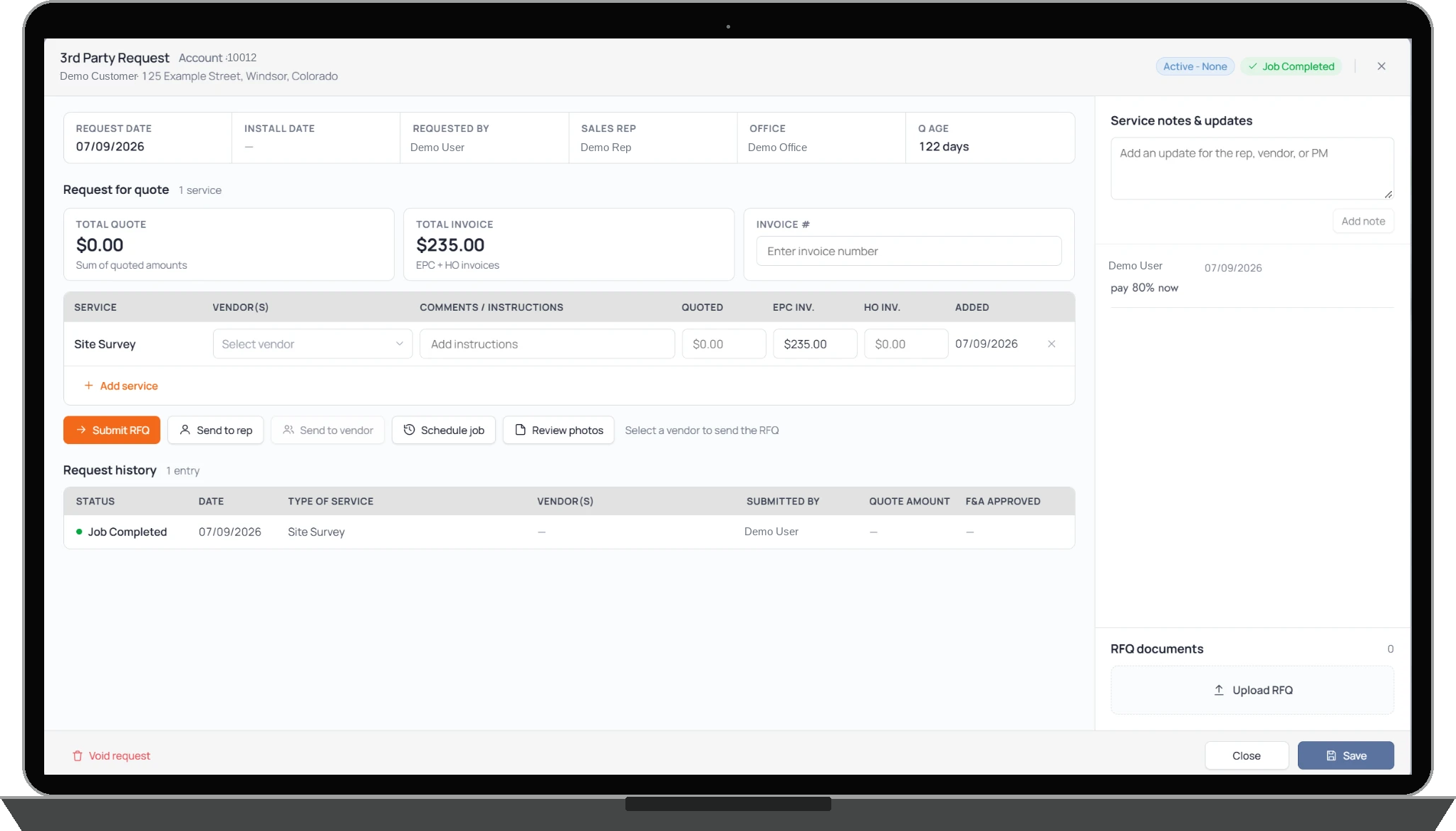
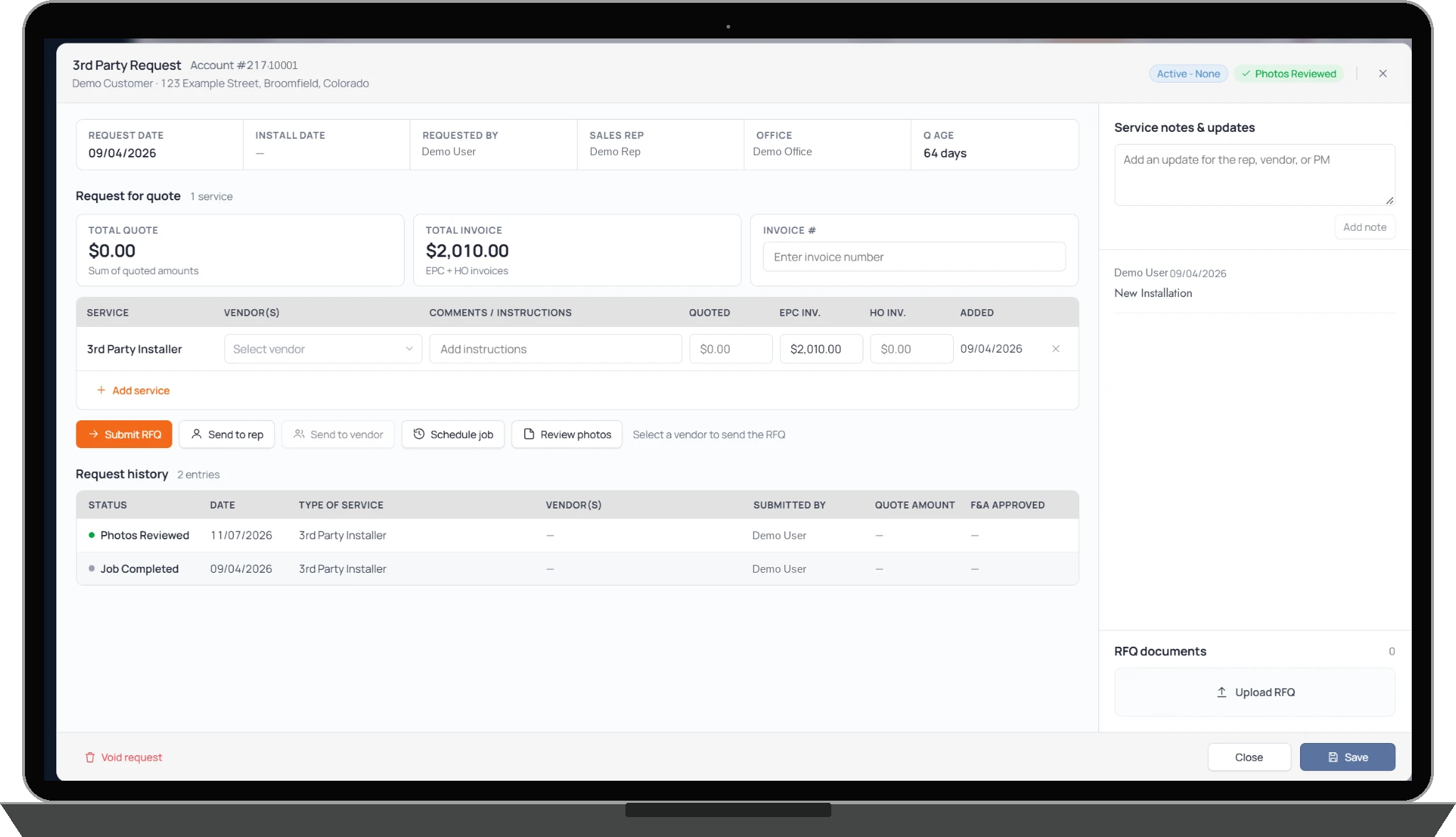
Once a service is assigned, TPS365 helps your team coordinate execution without losing visibility into the request. Track schedules, review job information and photos, record service notes, and maintain request history as work progresses. Teams can see what has been requested, what is scheduled, and what has been completed without managing separate spreadsheets or disconnected email threads.
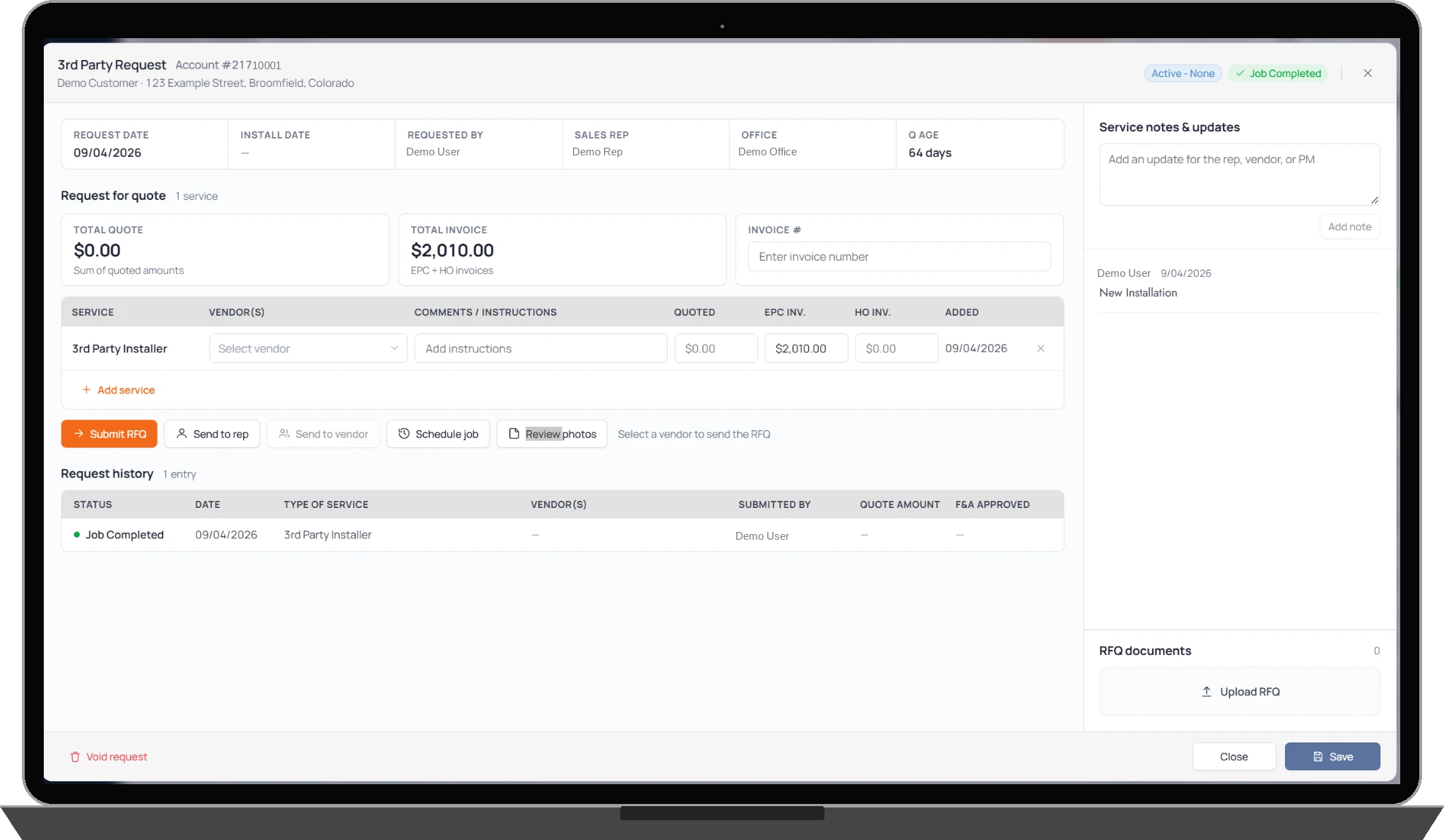
Third-party services often introduce costs that need to be reviewed and accounted for throughout a project. TPS365 keeps quoted amounts, vendor invoices, and related service costs associated with the request. Depending on the company's configuration, teams can also maintain separate EPC and homeowner invoice amounts. This gives your business better visibility into the financial impact of third-party work.
Together, they connect service requests with vendor profiles, compliance documentation, portal access, and assignment activity.
Your team can review compliance warnings when selecting vendors and use configured override controls when appropriate.
Manage third-party requests, compare quotes, coordinate vendors, track completion, and maintain visibility into costs, all within Core365.