
DocuVault365
Create. Sign. Automate. All Within Core365.
Create, send, sign, and manage documents directly within Core365. DocuVault365 combines unlimited electronic signatures, reusable templates, formula-driven forms, multiple signers, and automated document workflows in one connected system. From sales contracts to employee onboarding and vendor agreements, completed documents stay connected to the records they belong to.
Book a Demo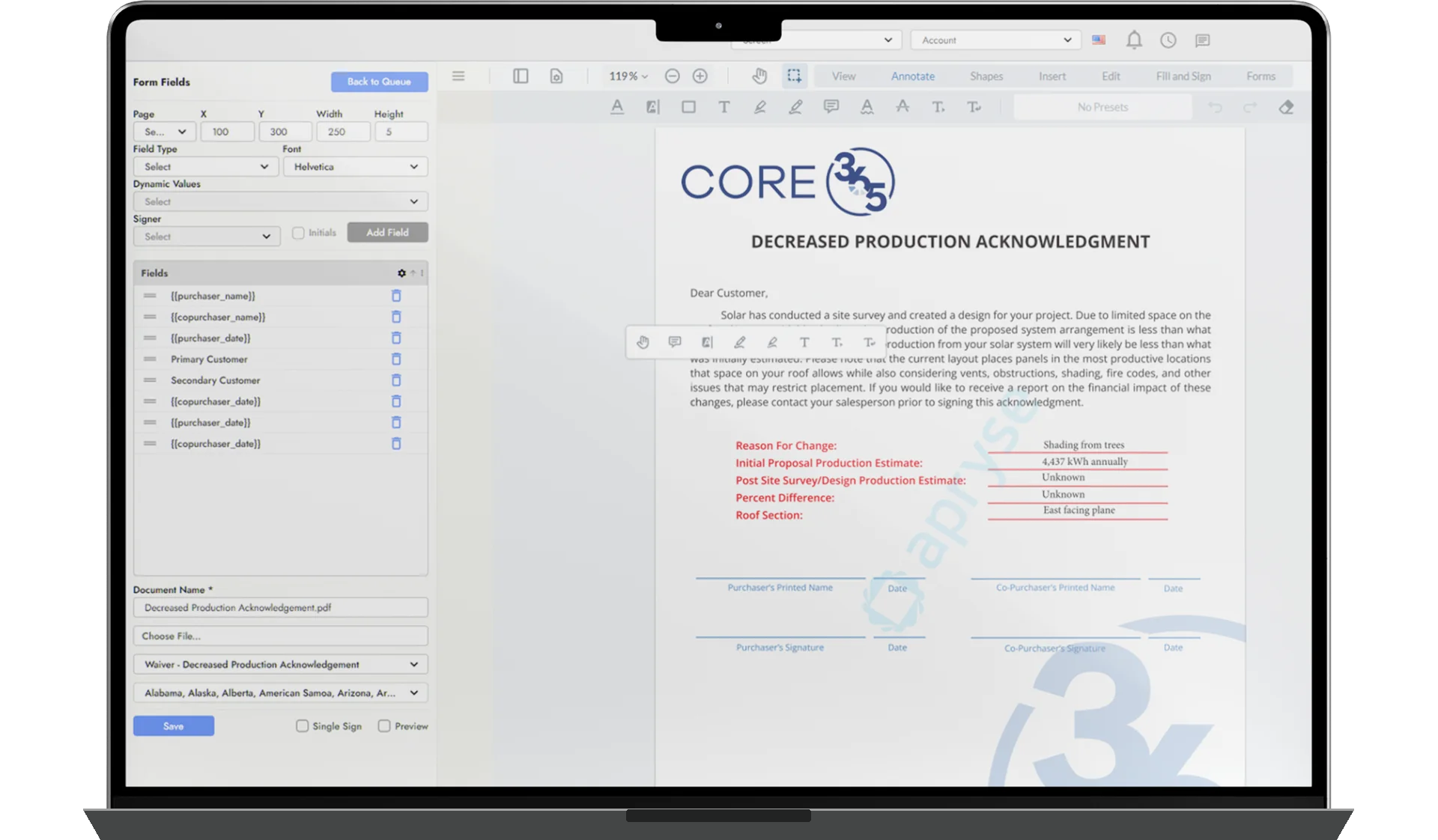
DOCUMENTS & SIGNATURES
& AUTOMATED ROUTING
DOCUMENT WORKFLOWS
How It Works
DocuVault365 brings document preparation and electronic signing directly into Core365. Start with an existing PDF or reusable template, configure the required fields, and prepare the document for signature.
Documents can use information from Core365 records and support calculated fields and formulas. Multiple signers can be assigned to the same document, with a defined signing order and reminders for outstanding signatures.
Documents can be created manually, generated from templates, or initiated through supported workflow events. Rules-based routing helps move documents through the appropriate signing process.
Once a document is sent, employees can track its progress in the E-Sign Queue. Completed documents are automatically associated with the relevant customer, employee, or vendor record, keeping signed agreements connected to the business workflow.
DocuVault365 is integrated with Core365 and available through an annual license, billed separately, with unlimited users, unlimited documents, unlimited signatures, and unlimited templates.
Document Preparation & Formulas
Build Documents That Work With Your Data.
Prepare documents using reusable templates, configurable fields, and information already stored in Core365. DocuVault365 supports formula-driven calculations and field mapping from Core365 records, helping teams prepare consistent contracts, agreements, and forms without repeatedly entering the same information.
- Reusable document templates
- Drag-and-drop field preparation
- Formula-driven calculations
- Core365 record data mapping
Multi-Signer Electronic Signatures
One Document. Multiple Signers. One Connected Workflow.
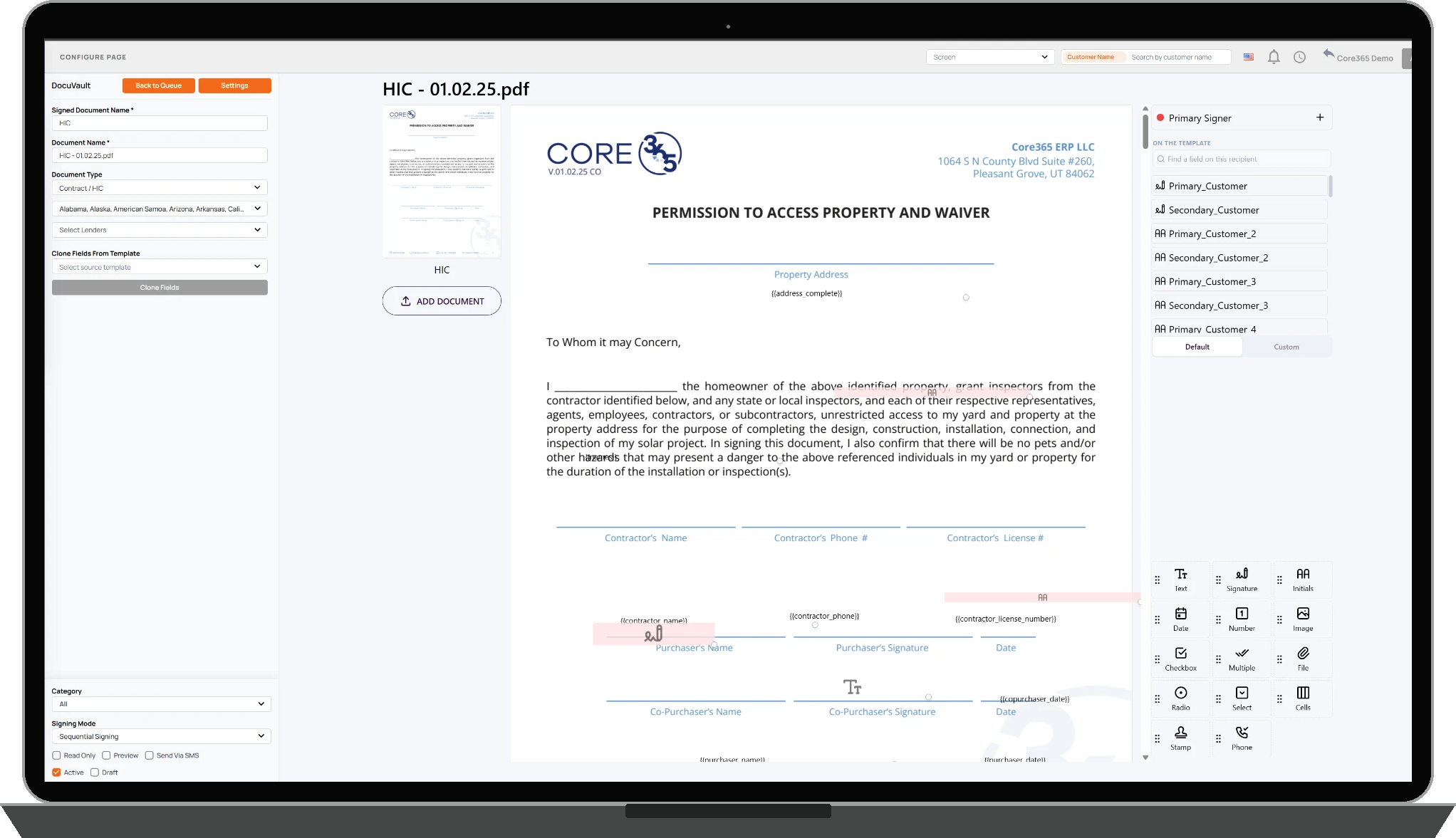
Send documents requiring signatures from customers, employees, vendors, or other authorized participants. DocuVault365 supports multiple signers, defined signing order, and reminders for people who have not yet signed. Recipients can review and sign documents through a browser link on desktop or mobile.
- Multiple signers per document
- Configurable signing sequence
- Signing reminders
- Browser-based desktop and mobile signing

Automated Document Workflows
Documents That Move With Your Business.
DocuVault365 connects document generation and signing to supported Core365 workflows. Create documents manually, populate templates using existing records, or initiate supported documents when workflow events occur. Rules-based routing helps deliver documents through the appropriate signing process.
- Manual and workflow-initiated documents
- Templates populated from Core365 records
- Rules-based document routing
- Completed documents associated with operational records
Supported workflows include sales contracts and customer agreements, HR365 employee onboarding and forms, Vendor365 agreements and vendor portal onboarding, and compliance documents and waivers.
E-Sign Queue
Know What's Signed, What's Pending, and What Needs Attention.
The DocuVault365 E-Sign Queue provides a central place to monitor signing activity. Employees can review documents awaiting signature, completed agreements, voided records, and other document statuses. Authorized users can resend requests, copy signing links, launch new signing processes, access related projects, and perform supported document actions.
- Sent, awaiting, signed, voided, and removed document tracking
- Signing status dashboards and queues
- Resend requests and copy signing links
- Related project access and authorized document actions
Audit History & Signed Records
A Clear Record of Every Signature.
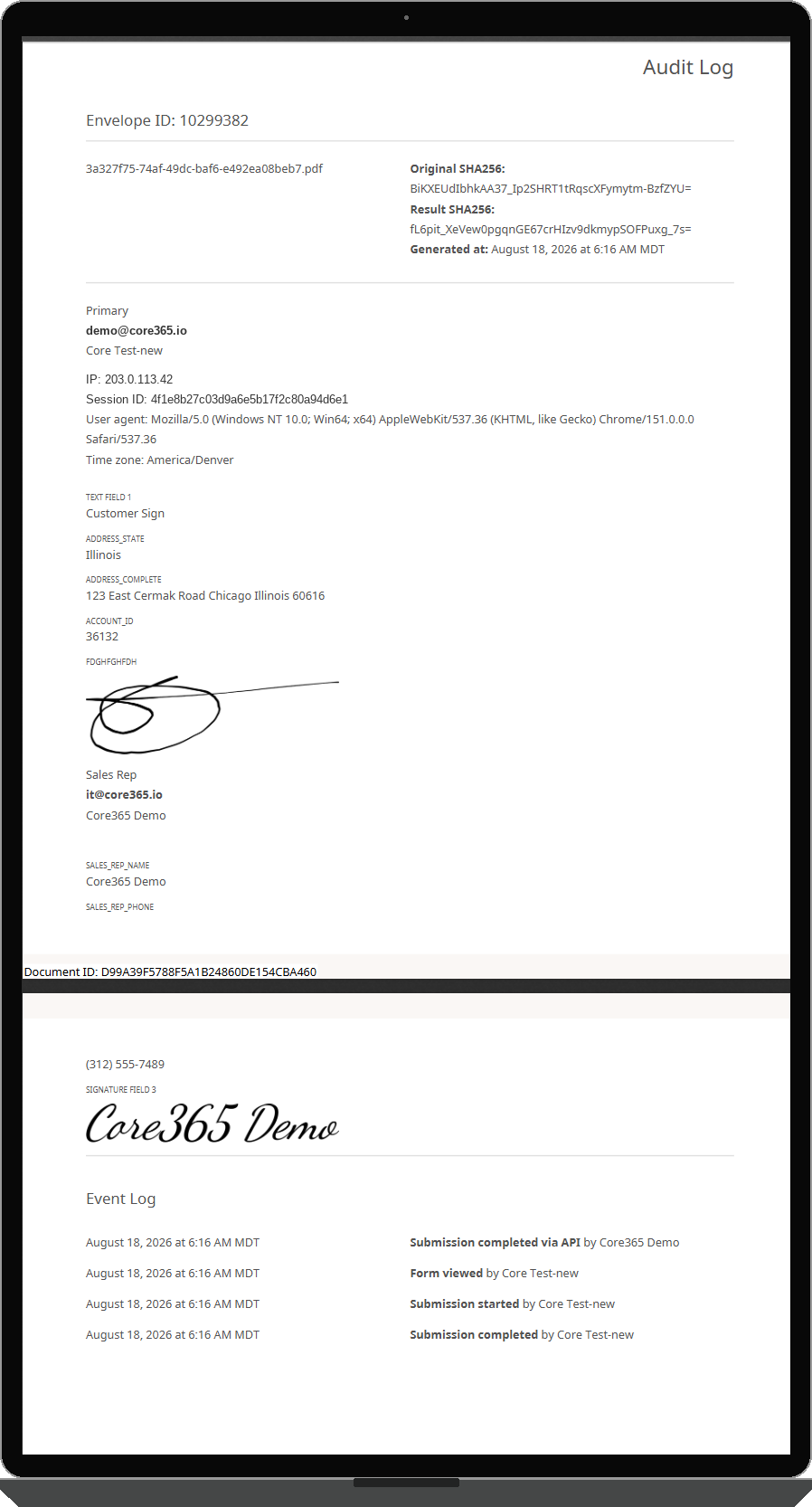
Keep signed documents connected to the people and business records involved. DocuVault365 maintains signer activity, signature timestamps, and downloadable audit information to support document review and recordkeeping. Completed documents are automatically associated with the relevant customer, employee, or vendor record within Core365.
- Signature timestamps and signer activity
- Downloadable audit logs or certificates
- Encrypted document storage
- Signed documents connected to Core365 records
Signing Is Only One Part of the Workflow.
A signed contract isn't much use if employees have to download it, upload it somewhere else, and manually reconnect it to the right customer or project. DocuVault365 keeps completed documents associated with the relevant Core365 records. Whether it's a sales agreement, employee onboarding form, or vendor document, your teams can manage signing as part of their existing workflow.
Stop Managing Signatures in a Separate System.
Bring document creation, electronic signatures, templates, signing queues, and completed agreements into Core365. DocuVault365 is integrated with Core365 and available through an annual license, billed separately, with unlimited users, unlimited documents, unlimited signatures, and unlimited templates.