
Admin365
Your Company. Your Rules. One Place to Manage Them.
Configure how Core365 works for your business. Admin365 gives authorized administrators control over employee access, security settings, company branding, communications, document workflows, and supported integrations. Manage company-wide settings and ongoing changes without treating every module as a separate application.
Book a Demo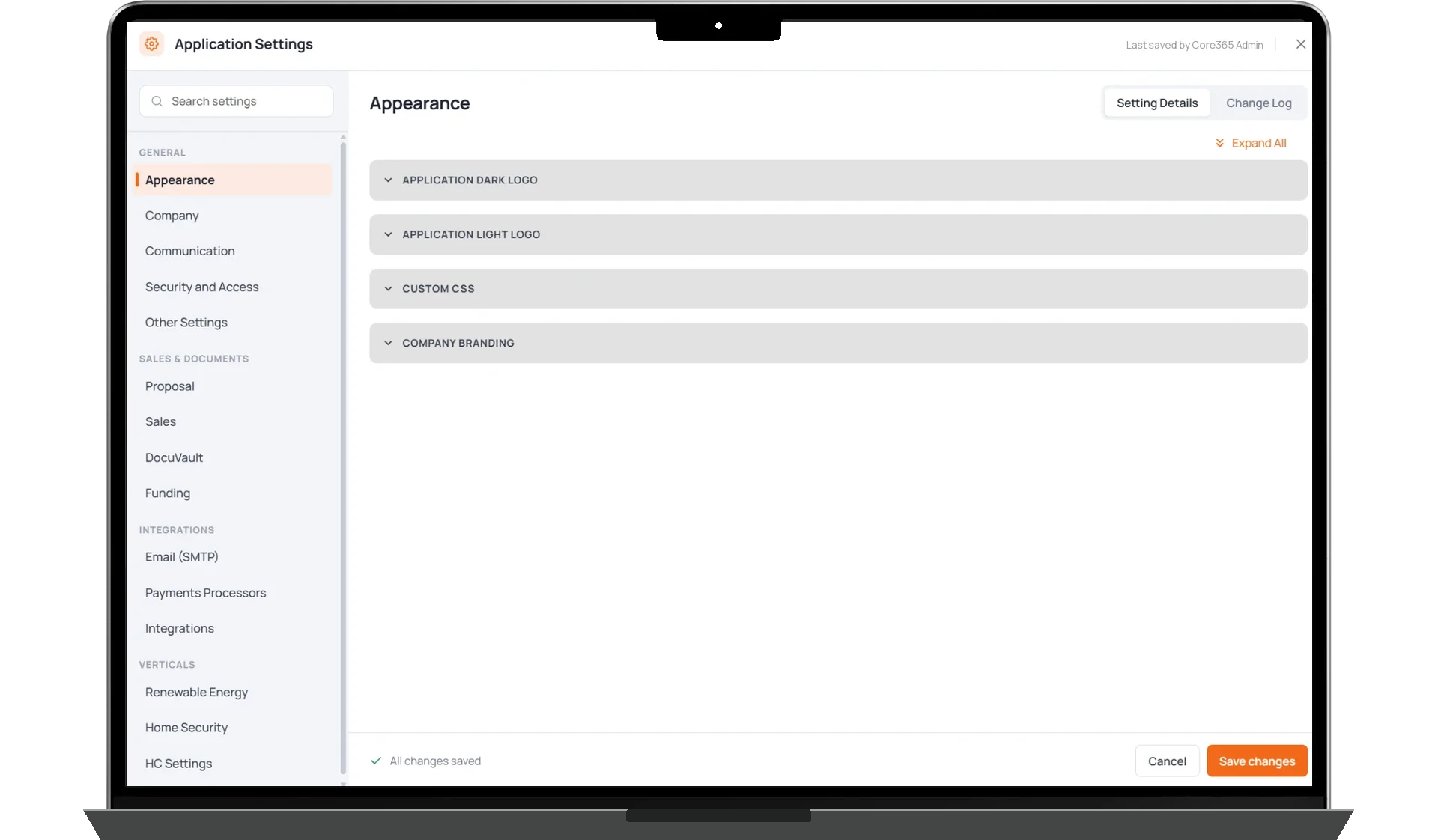
PERMISSIONS
COMPANY SETTINGS
CONFIGURATION
How It Works
Admin365 gives tenant administrators a central place to configure the settings that govern their Core365 environment.
Manage users, roles, permissions, company appearance, organizational settings, and security policies without maintaining separate administration tools for individual modules.
Companies can configure communication triggers, supported messaging providers, document signing rules, reminders, and operational settings to match how their teams work.
Admin365 also provides access to supported integration configurations. Existing integrations can be managed through their available settings, while new or specialized integrations may require custom development.
Configuration history helps administrators review changes, including who made them and when, and inspect previous settings where available.
Included with Core365.
User Management & Permissions
Give Every Employee the Access They Need.
Admin365 lets companies manage access across Core365 using roles, permission groups, organizational structures, and user-specific overrides. Administrators can configure access at the role, user, field, or action level, giving different employees access to the information and functions relevant to their responsibilities.
- Role-based and custom permission groups
- Individual user overrides
- Office, team, and organizational access
- Field-level and action-level controls
Security & Access Settings
Configure Security Policies for Your Organization.
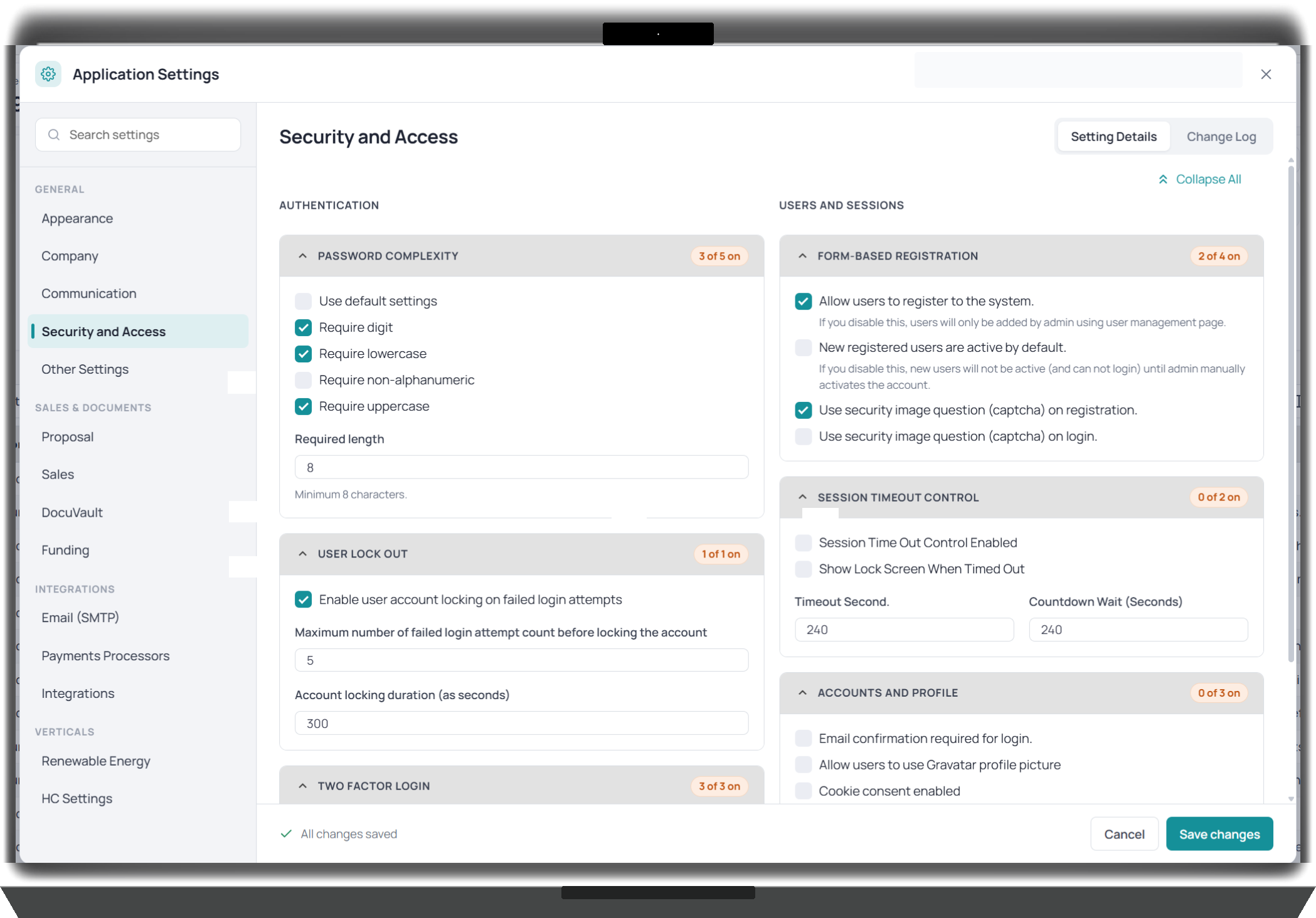
Admin365 provides configurable authentication and account-access settings. Tenant administrators can manage two-factor authentication, password requirements, failed-login lockouts, session timeouts, account activation, and inactive-user settings according to their organization's policies.
- Two-factor authentication and enforcement
- Password complexity and expiration
- Account lockout controls
- Session and inactive-user settings
- Registration and activation configuration
These settings are configurable and may vary by tenant.
Communications
Set the Rules for Business Communications.
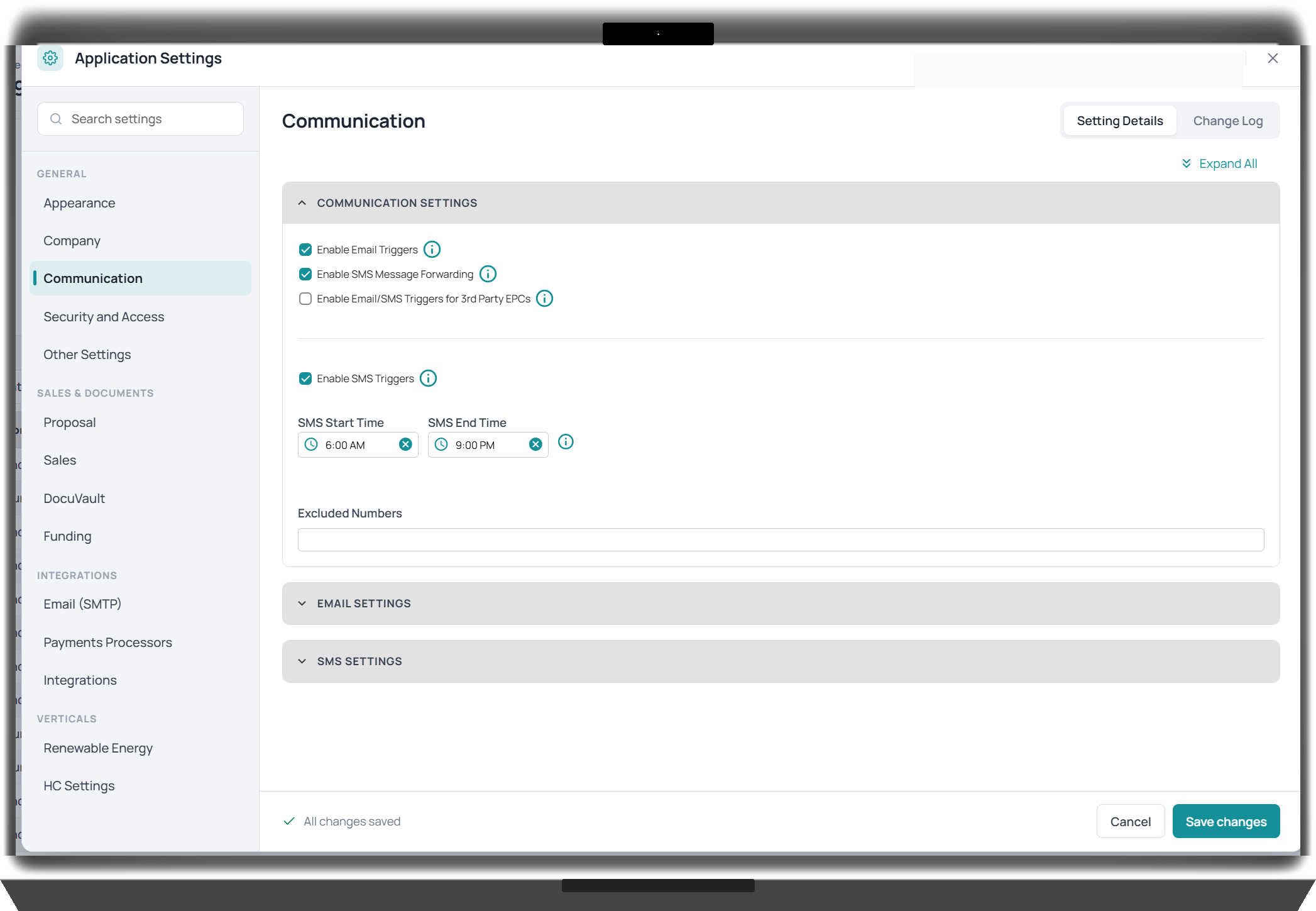
Configure supported communication settings directly within Core365. Admin365 lets companies manage email and SMS triggers, forwarding, sender providers, messaging windows, and excluded numbers. These settings help companies adapt supported communication workflows to their operating requirements.
- Email and SMS trigger settings
- Communication provider selection
- Messaging windows and excluded numbers
- Configurable forwarding and notification behavior
DocuVault & Document Settings
Configure Document Signing Around Your Workflow.
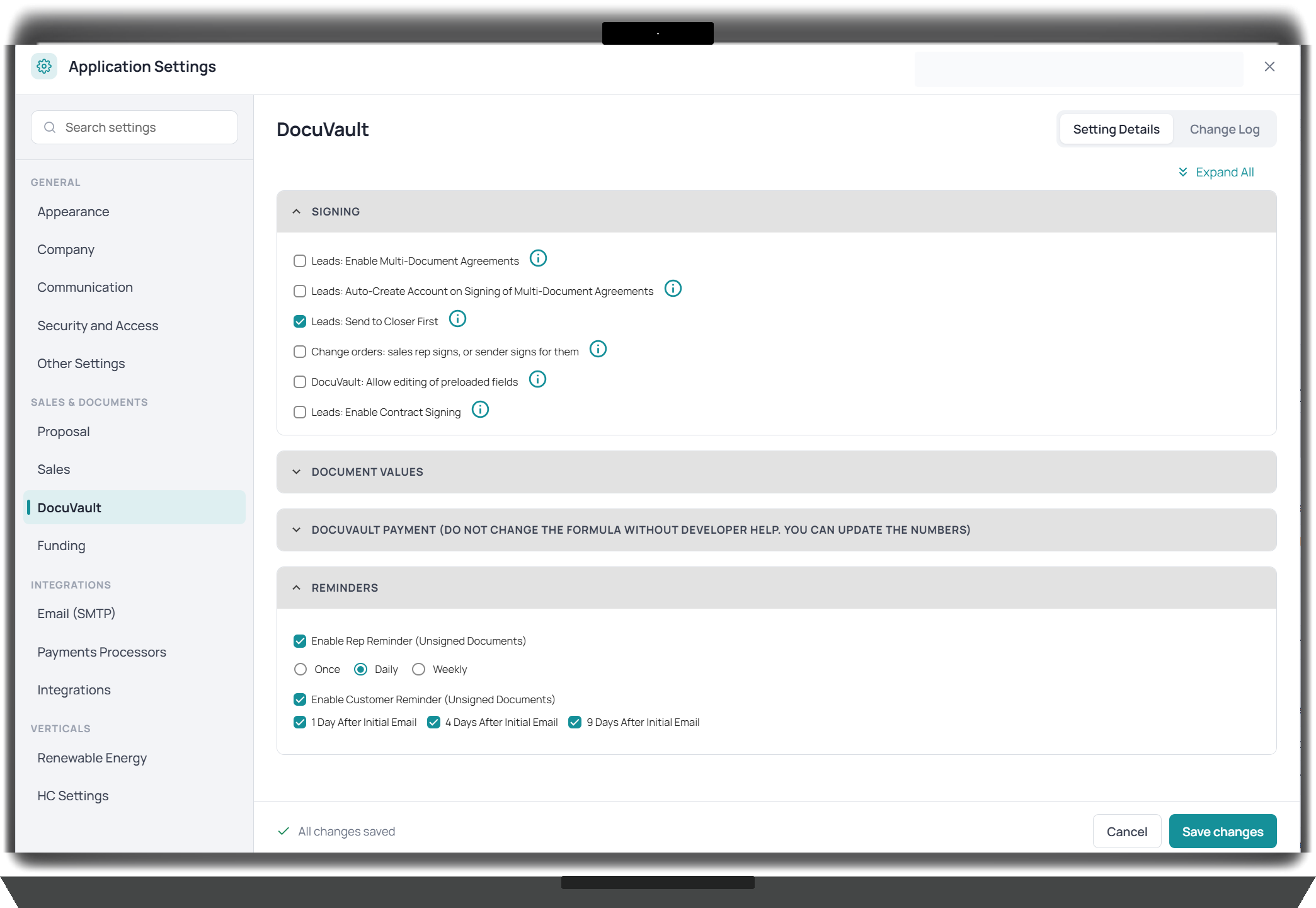
Admin365 provides company-level settings for supported DocuVault document and signing processes. Administrators can configure signing behavior, supported document values, and reminders for outstanding signatures. This gives companies control over how their document workflows operate within Core365.
- Configurable signing rules
- Document settings and values
- Employee and customer signing reminders
- Company-specific document workflow options
DocuVault licensing remains governed by its separate annual licensing arrangement.
Integrations & Provider Configuration
Manage Supported Integrations From One Place.
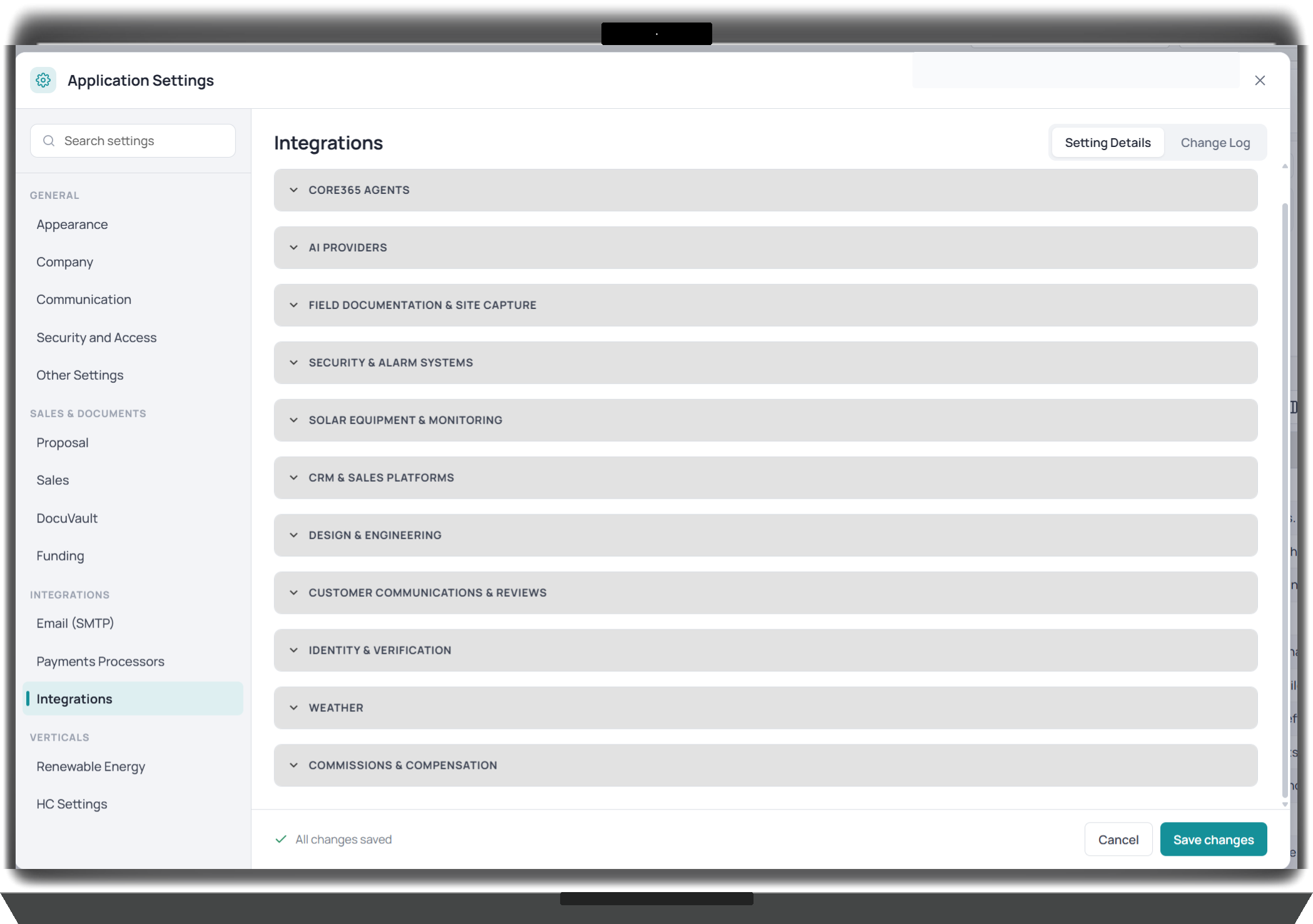
Admin365 provides configuration settings for supported third-party services used within Core365. Depending on the integration, administrators can manage provider selection, connection settings, and authorized configuration information. The platform supports integration categories across communications, sales, proposals, field documentation, equipment, AI services, and other operational workflows.
- Centralized supported integration settings
- Provider configuration and credentials
- Communication and proposal integrations
- Configuration across different business functions
Most new integrations require custom development.
Company Branding & Configuration
Make Core365 Work the Way Your Company Does.
Companies have different teams, processes, and operating requirements. Admin365 supports configurable company settings, logos, appearance, custom CSS, offices, organizational units, and industry-specific operational options. Tenant administrators can maintain supported configurations as their company changes.
- Company branding and appearance
- Logos and custom CSS
- Multiple offices and organizational units
- Industry-specific operational settings
- Project and workflow configuration
Know What Changed and Who Changed It.
Admin365 provides configuration history so administrators can review setting changes, identify who made them, and inspect previous values. This helps teams investigate configuration differences and maintain better visibility into administrative activity.
Admin365 provides administrative settings used by connected Core365 modules, including Contact365 communication settings, DocuVault365 signing and reminder configuration, proposal and sales integrations, project management settings, industry-specific configuration, and user permissions across operational functions. It configures and administers supported Core365 functionality.
One Platform. Configured for Your Business.
Manage employee access, security policies, communications, branding, document workflows, and supported integrations through Admin365. Give your administrators the controls they need to keep Core365 aligned with how your company operates.