
Contact365
Every Conversation, Connected to Your Business.
Manage calls, texts, emails, and communication history within Core365. Contact365 connects supported communication providers with your customer accounts, projects, and operational records, so conversations are easier to find and follow. From customer calls to AHJ communications and licensing follow-ups, your teams can see interactions in the context of the work they're performing.
Book a Demo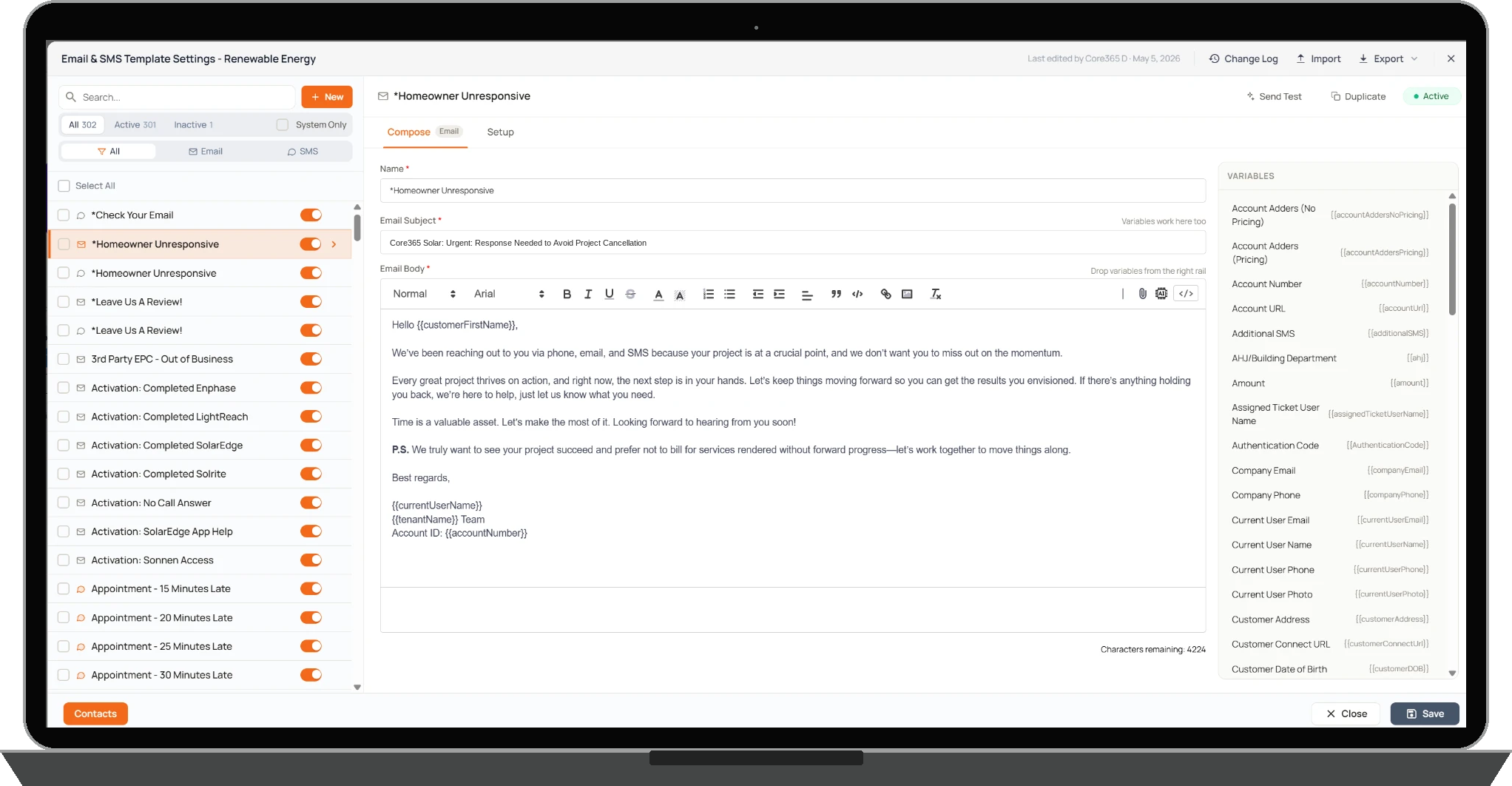
& TEXTING
COMMUNICATION HISTORY
QUEUES
How It Works
Contact365 brings supported calling, texting, and email workflows into Core365 through connected communication services.
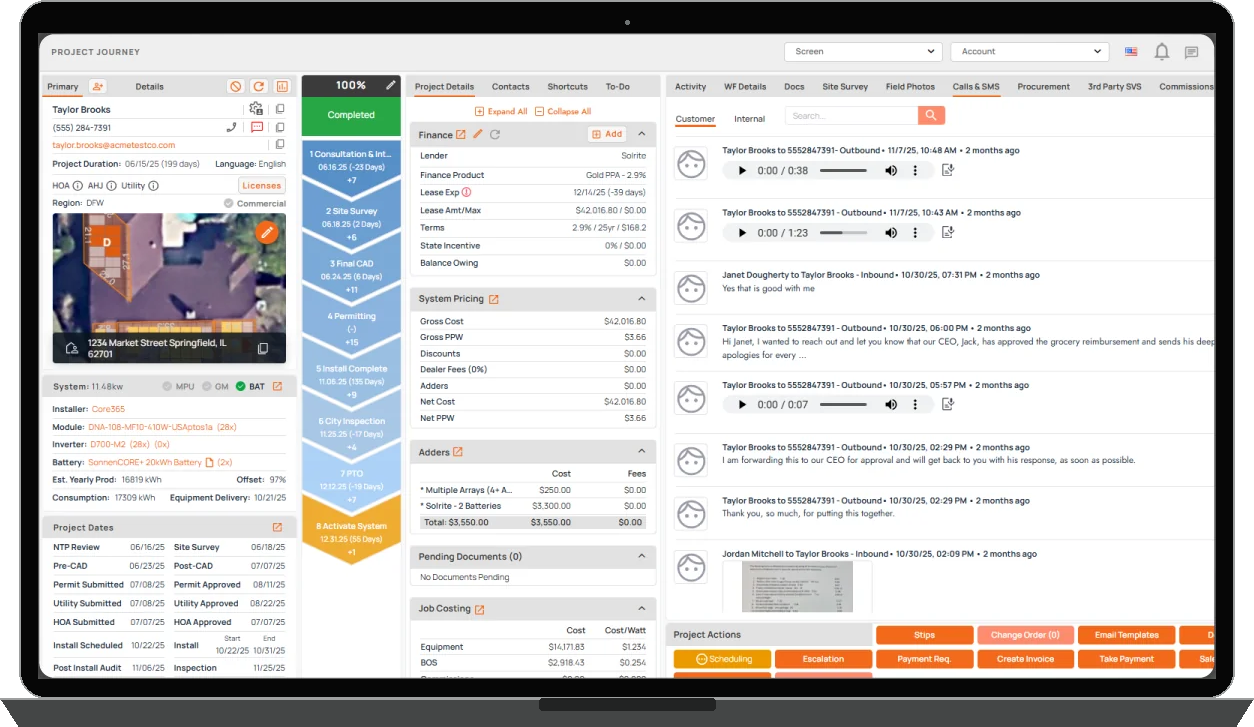
Calls, texts, and other supported interactions can be associated with the customer accounts, projects, and operational records they relate to.
This extends beyond customer communication. When a team member contacts an AHJ through Spark365 or works with licensing records in Coral365, the relevant communication history can remain connected to those records.
When the system cannot confidently match an incoming interaction, Contact365 provides a review queue where staff can investigate and associate it with the appropriate record.
The result is a more organized communication history that employees can access within their normal workflows instead of searching through disconnected systems.
Connected Communications
Calls, Texts & Emails in One Connected Workflow.
Contact365 integrates with communication providers including Dialpad, Twilio, and Nexxis. Teams can manage supported communications while keeping interaction history associated with relevant Core365 records.
- Connected calling and SMS workflows
- Email communication management
- Communication activity linked to operational records
Record-Level Communication History
Customer Communication Connected to Your Operations
Contact365 associates supported calls, text messages, and related communication activity with customer, project, and other applicable Core365 records. Unmatched interactions can be reviewed and linked through the Data Integrity Queue, while supported communication restrictions and notification settings help authorized teams manage customer contact.
- Customer and project communication history
- AHJ communications connected to Spark365
- Licensing communication connected to Coral365
- Shared communication context across supported workflows
The Customer Connect Portal provides tenant-controlled customer access to project information, documents, communications, referrals, and service requests. Customer communication features still under development remain separate.

Calls & SMS Data Integrity
When a Conversation Can't Be Matched, Nothing Gets Lost in the Shuffle.
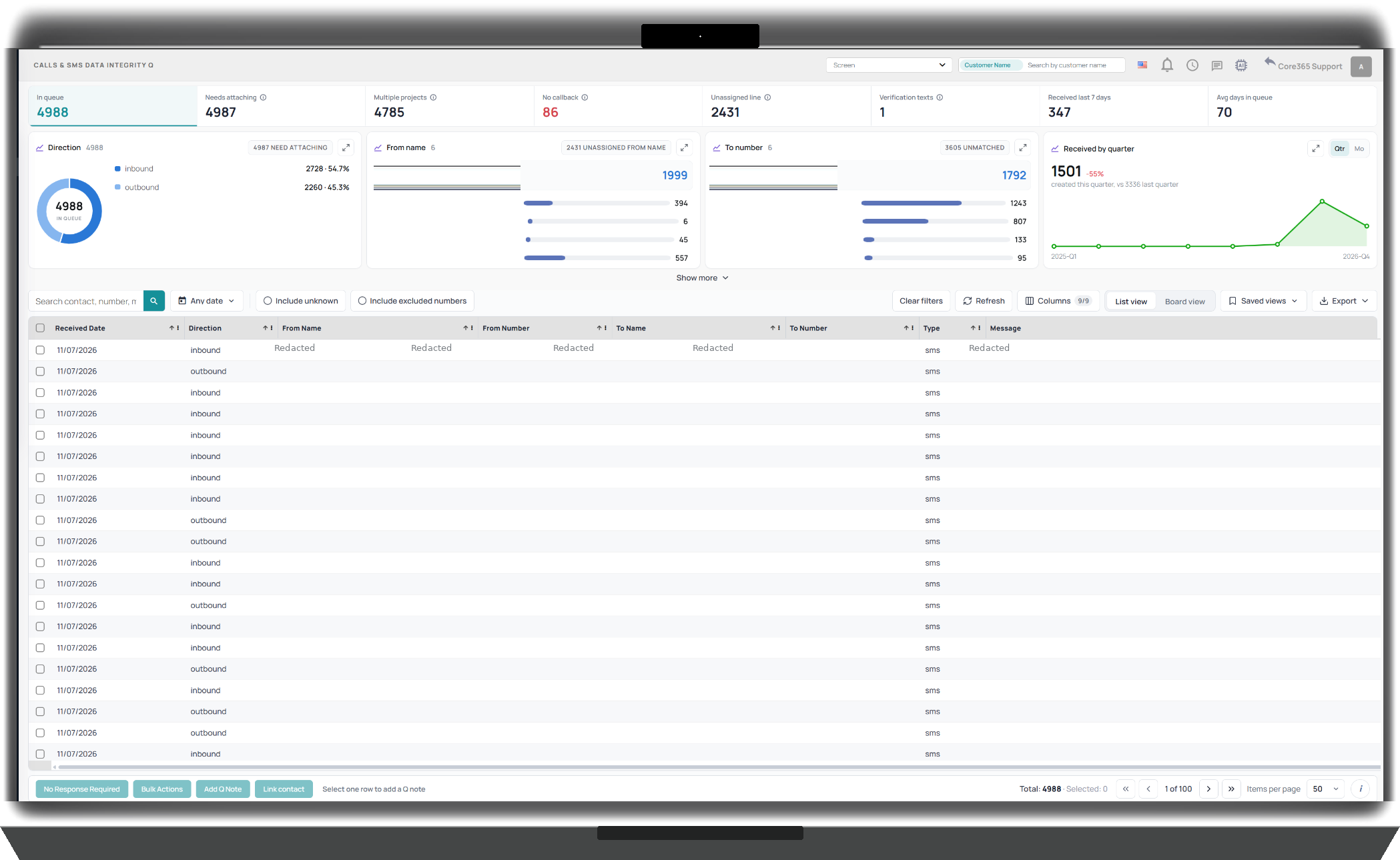
Not every customer calls from the number on file. When Contact365 cannot match a call or text to the correct account, its data integrity queue helps employees investigate unmatched communications. Teams can review activity, identify the appropriate account, and manually associate the communication with the correct record.
- Review unmatched communication activity
- Identify unknown or unassigned phone numbers
- Resolve multiple possible account matches
- Manually link communications to the appropriate records
SMS Do Not Contact Management
Keep Do-Not-Text Records Organized.
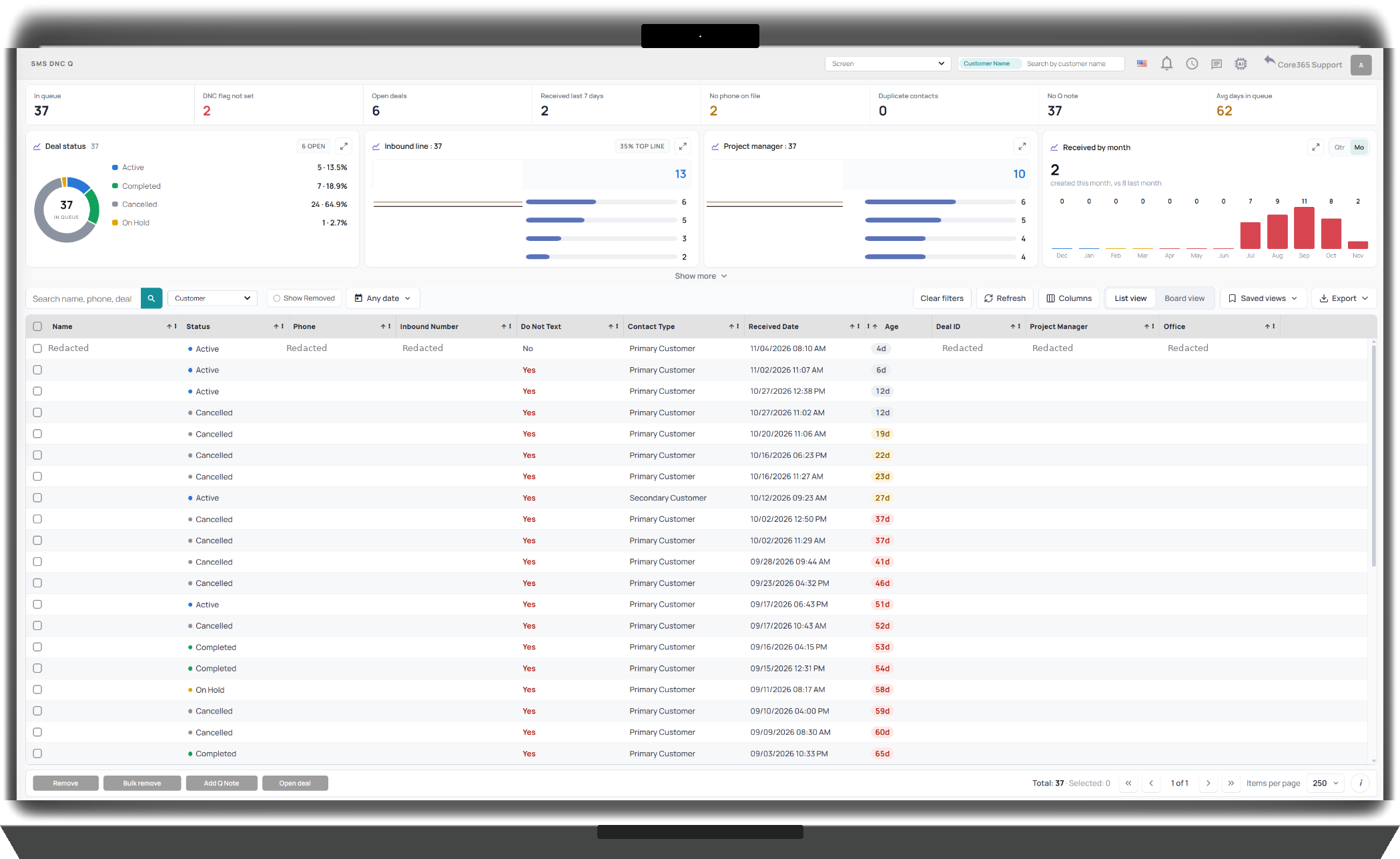
Contact365 provides a dedicated SMS DNC queue where authorized employees can review do-not-text information and associated customer records. The queue gives teams visibility into records requiring review and supports follow-up within the communication workflow.
- SMS DNC review queue
- Customer and account context
- Flags and records requiring attention
Customer Connect Portal
Give Customers Direct Access to Their Project
The Core365 Customer Connect Portal gives customers a single place to follow project milestones, review upcoming visits, access documents, view communications, and request service. Customers can review their project timeline, access available agreements and equipment specifications, view text messages and permitted call recordings, submit referrals, and contact their assigned team. When enabled by the tenant, customers can also review and approve engineering plansets. Each organization controls the information and actions available to its customers through tenant configuration and permissions.
Customer Portal Features
- Project Milestones: View project milestones and track progress throughout the project lifecycle.
- Planset Review and Approval: Review and approve engineering plansets when enabled by the tenant.
- Documents and Agreements: View and download available agreements, project documents, and equipment specification sheets.
- Communication History: Review text messages and access recordings of phone calls associated with their project, where available and permitted.
- Customer Referrals: Submit referrals directly through the portal.
- Service Requests: Request service and submit support needs without contacting the office separately.
- Tenant-Controlled Experience: Each company controls which documents, milestones, communications, and customer actions are available through its portal configuration.
One Place for Customers to Stay Connected
Instead of calling the office for updates, requesting copies of documents, or tracking down previous conversations, customers can access the information made available to them directly through Customer Connect. The portal connects the customer experience with the operational information already managed in Core365.
Your Communications Should Be Part of Your Operations.
Connect customer calls, texts, emails, and operational communication history within Core365. Give your team a clearer view of conversations and the accounts, projects, and records they belong to.