
Service365
From Service Request to Completed Work. Office, Field, and Mobile.
Service365 connects service tickets, scheduling, dispatch, technician activity, customer communication, and job documentation within Core365. With native iOS and Android apps, technicians can manage assignments, access customer and equipment information, review project documents, and update work directly from the field. Your office stays connected with visibility into schedules, service progress, and job completion.
Book a Demo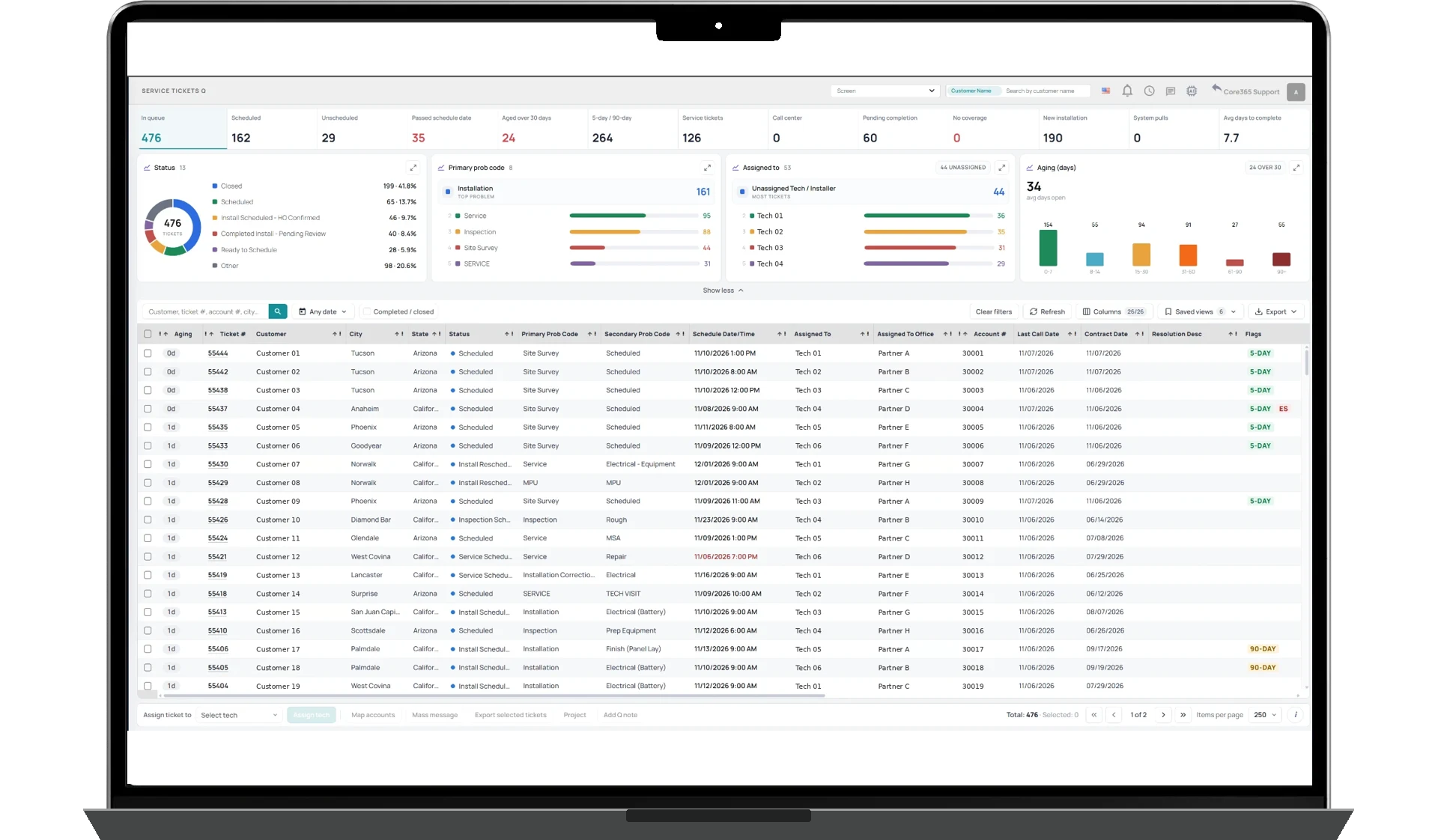
& DISPATCH
& ANDROID APPS
& VISIBILITY
How It Works
Service365 connects office and field teams through one service workflow. Create tickets, assign technicians, manage schedules, and track work across installations, inspections, repairs, maintenance, and other field services.
Dispatchers can assign work directly, manage technician availability, and organize service territories. Eligible technicians can also claim available Flex Tickets in their assigned service areas when they have capacity for additional work.
Technicians use the native iOS and Android apps to review assignments, access customer and equipment information, open plans and permits, upload photos, document work, and update ticket progress. When GPS tracking is enabled, authorized teams can access location information associated with supported field activities.
Service365 connects customer communication, schedules, ticket history, and supporting documents. Office teams can follow service progress while technicians complete assignments in the field.
Service Tickets & Connected Project Information
Give technicians the information they need without requiring constant calls to the office. Service365 brings customer information, service instructions, equipment details, plans, permits, photos, and previous ticket activity into one connected workflow. Technicians can review relevant records and document their work directly from the mobile app.
- Service tickets and customer information
- Plans, permits, equipment details, and photos
- Mobile access to job history and documentation
Scheduling, Dispatch & Service Territories
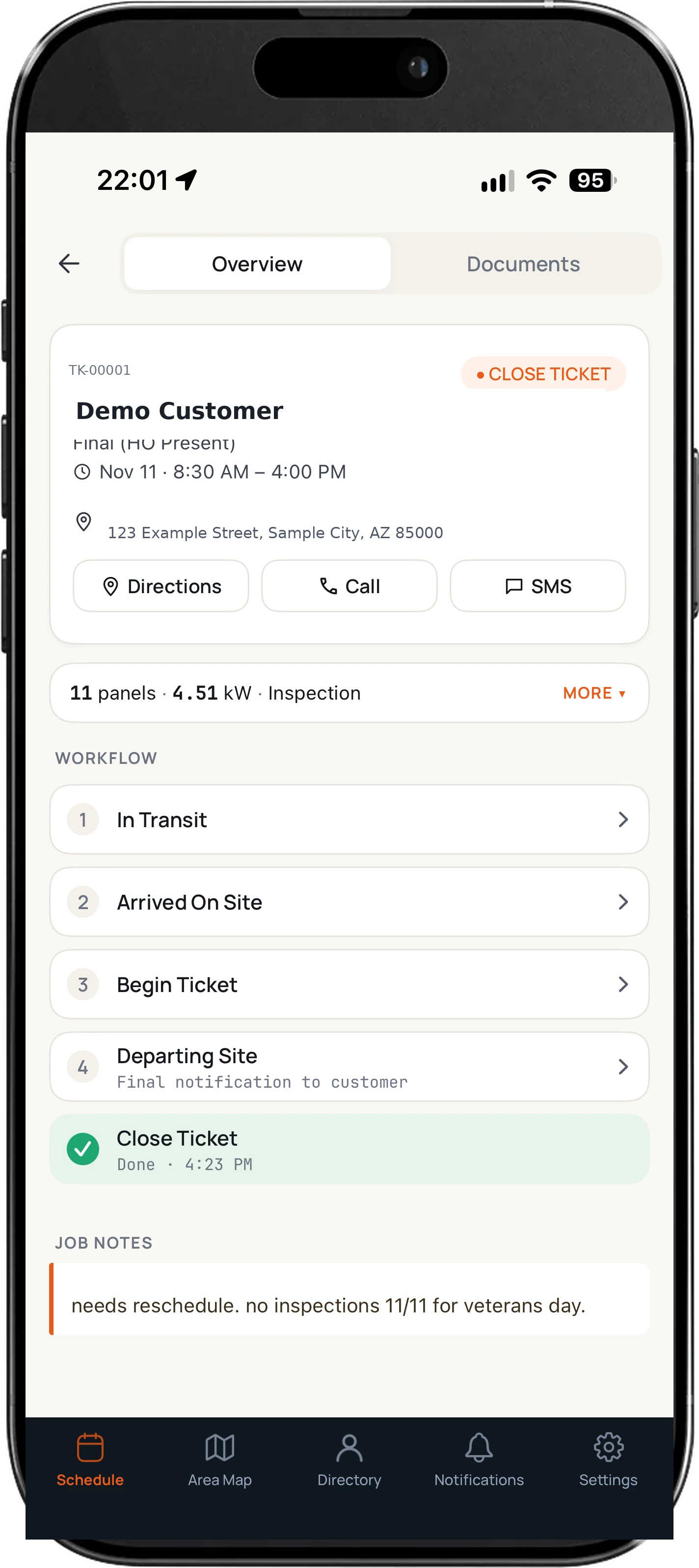
Coordinate technicians, crews, appointments, and service territories from one scheduling system. Dispatchers can assign work directly, review availability, manage time off, and organize schedules across service types. Eligible technicians can also claim available Flex Tickets within their assigned service areas.
- Centralized scheduling and dispatch
- Technician territories, availability, and time off
- Direct assignments and technician-claimed Flex Tickets
Your Field Operation, in the Technician's Hands.
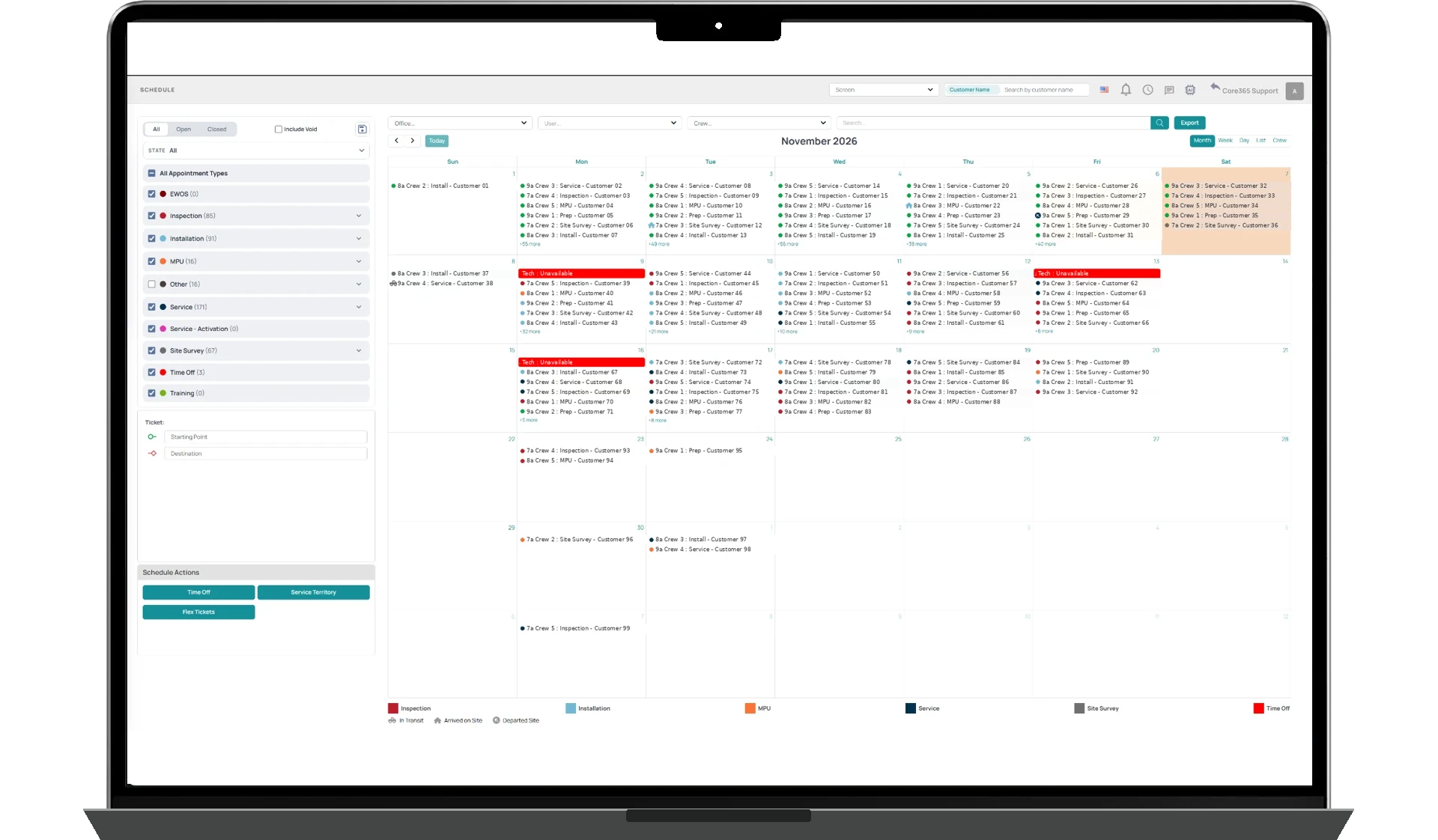
The Service365 native iOS and Android applications connect technicians to their assignments and the information they need throughout the workday. Technicians can review job details, access customer information, communicate with customers, record field activity, and update work progress. When GPS is enabled, authorized teams can access supported location and activity information.
- Native iOS and Android applications
- Ticket progress and completion tracking
- Configurable GPS and field activity visibility
Keep Customers Informed Throughout the Service Visit.
Service365 connects field activity with customer communications. Depending on the configured workflow, customers can receive notifications when technicians are in transit, arrive onsite, or complete relevant service milestones. Office teams stay informed while customers receive clearer updates about scheduled work.
- Technician transit and arrival notifications
- Integrated SMS communication
- Service activity and appointment visibility

Document the Work. Keep Everything Connected.
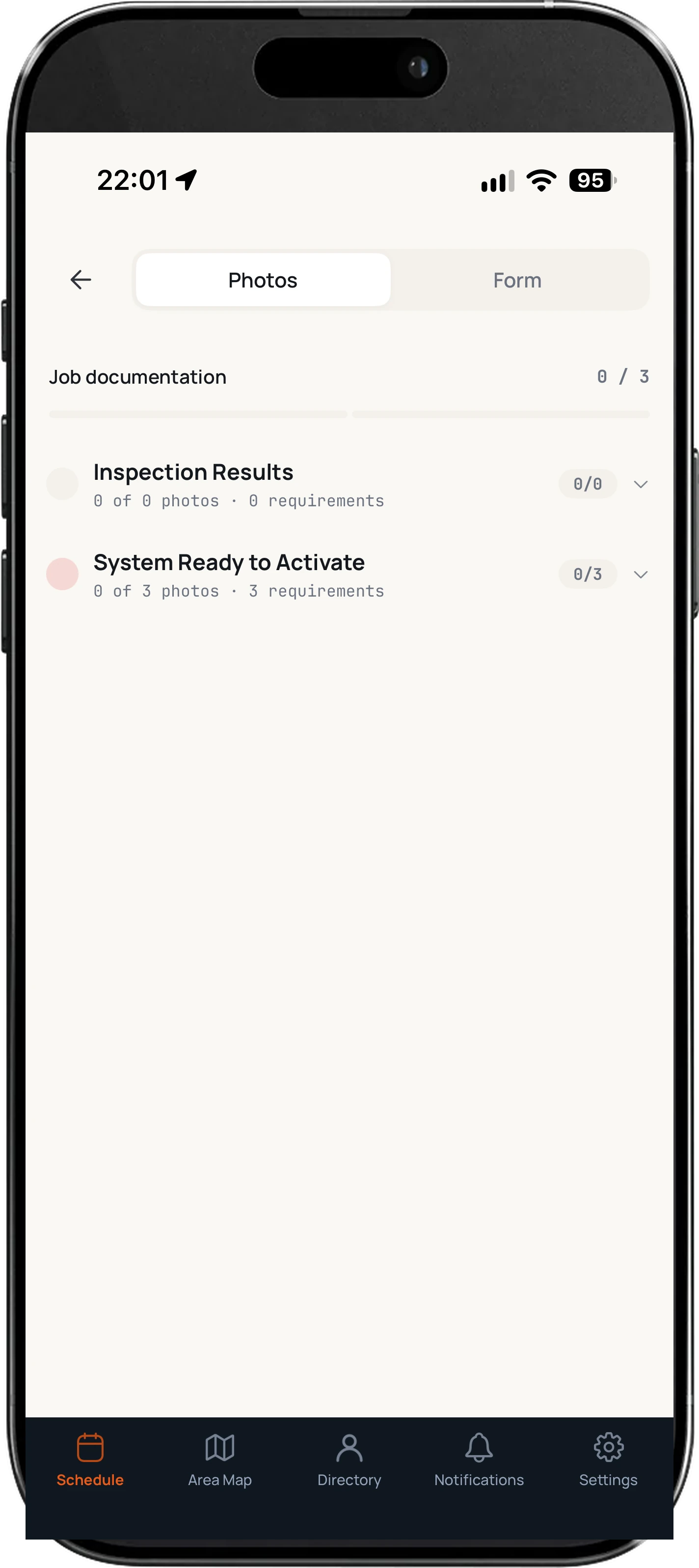
Service365 keeps job photos, notes, forms, project documents, and service history connected to the work being performed. Through Forms365 and supported workflows, technicians can complete documentation from the field. Receipt uploads and available OCR functionality support expense records, while connected external work orders help coordinate specialized assignments.
- Required photos and service documentation
- Forms, notes, and supporting files
- Receipt capture and connected work orders
Planned
Smarter Service Starts With a Picture.
We're exploring AI-assisted photo analysis to help service teams review uploaded images, identify potential visible equipment concerns, and improve documentation before dispatching or assigning follow-up work.
- AI-assisted review of service photos
- Preliminary identification of visible concerns
- Better information for coordinators and technicians
AI review identifies potential visible issues. It does not provide definitive electrical diagnoses.
Connect Your Office. Equip Your Technicians. Complete More Work.
Bring service requests, scheduling, dispatch, technician activity, mobile documentation, and customer communication into one connected platform.