
Lender365

Financing Operations, Connected to Every Project

Manage lender relationships, financing information, stipulations, change orders, and funding milestones from one connected workspace. Lender365 brings loan activity and outstanding financing requirements into Core365, with lender-specific integrations and operational queues that help teams keep projects moving toward funding.

Book a Demo
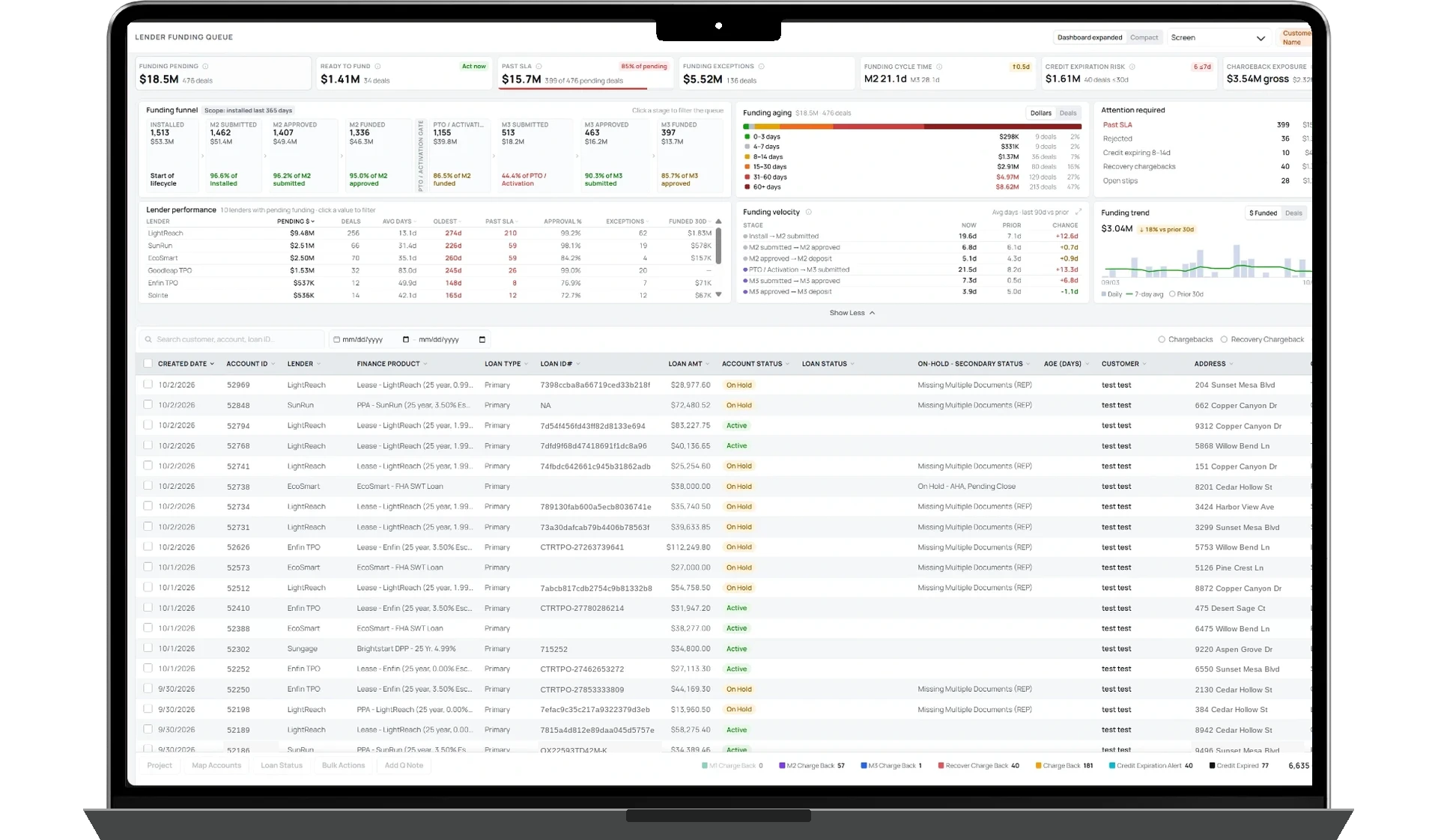
Lender365 funding queue dashboard
Centralized Lender Management

Organize lender configurations, financing products, and project-related loan information.

Stipulations & Milestone Tracking

Monitor outstanding lender requirements, change orders, and funding milestones.

Funding Visibility & Exception Management

Use dedicated queues and dashboards to identify outstanding work and monitor funding progress.

How Lender365 Works

Lender365 brings financing information and operational workflows into the same environment where teams manage their customers and projects.

Instead of treating lender activity as a separate process, Core365 organizes loan details, outstanding requirements, change orders, and funding milestones around the relevant project.

Dedicated queues help funding teams identify what requires attention. Supported lender integrations can provide additional information or functionality, depending on each lender's available API capabilities.

The funding workspace provides visibility into loan information, lender requirements, project status, and milestone funding activity.

Teams can filter supported data, review outstanding work, and export information for further reporting.

Lender365 helps businesses coordinate financing operations while recognizing that final lending decisions, approvals, and disbursements remain with the financing provider.

Centralized Lender Management & Connectivity

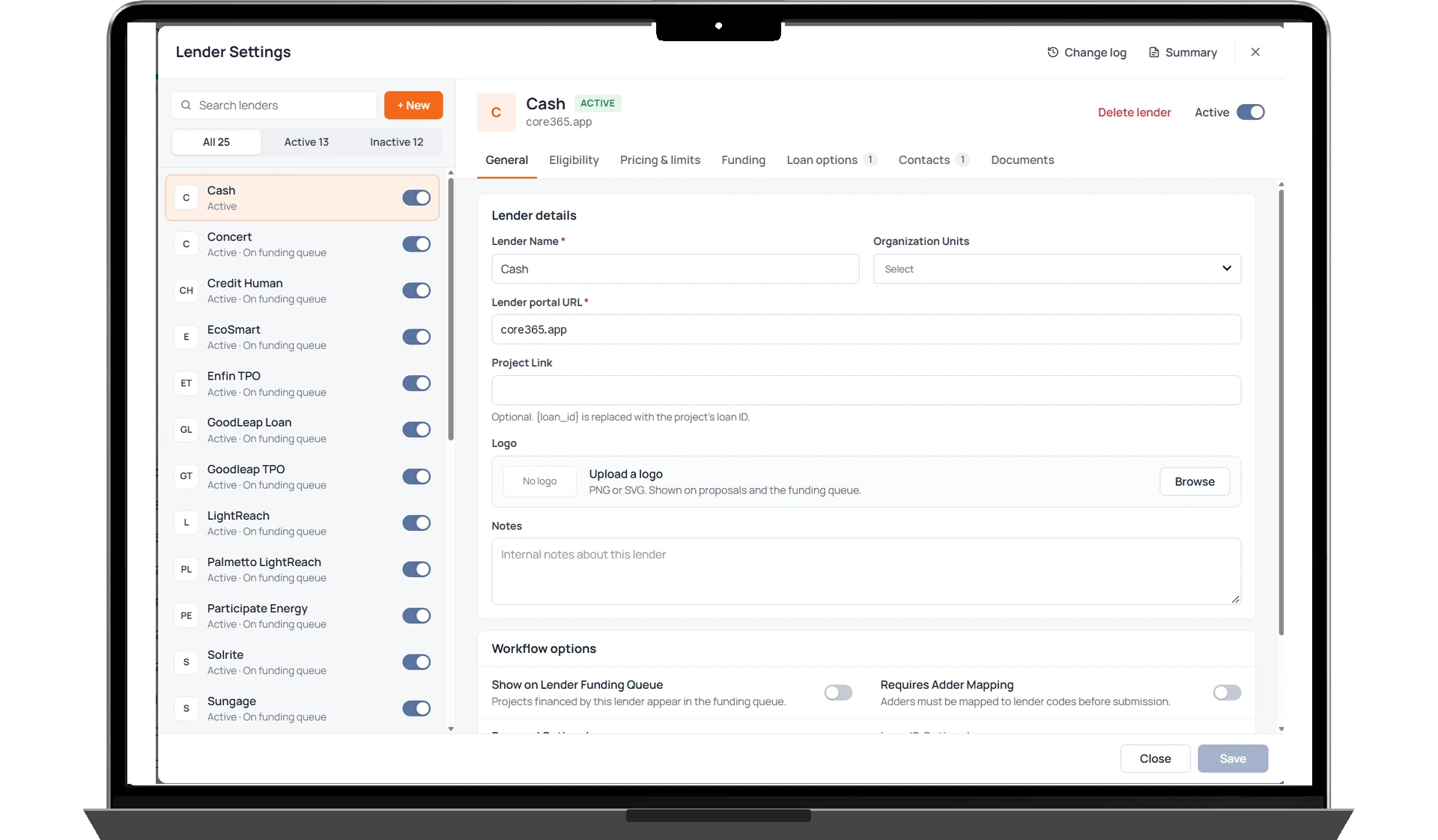
Manage financing partners and their configurations from a centralized area within Core365. Lender settings support information and workflows such as lender identification, eligibility, financing products, rates and terms, funding configurations, and related operational settings. Supported API connections can help bring lender information and financing activity into Core365, with available functionality varying by financing provider.

  • Centralized lender configurations
  • Lender-specific financing products and funding settings
  • API capabilities based on each lender's supported integration
Lender365 lender settings, general details

Stipulations & Milestone Funding Visibility

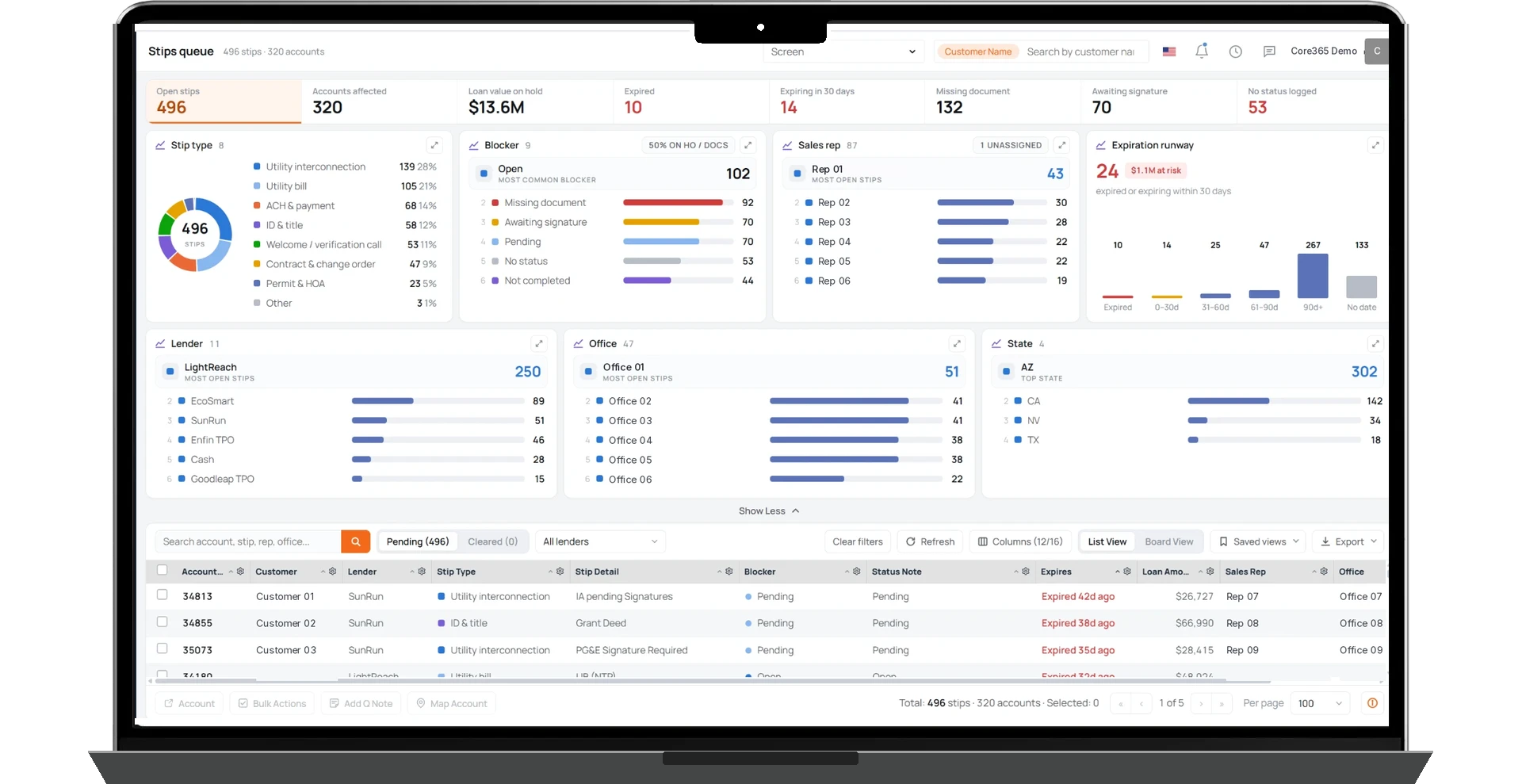
Track outstanding lender requirements and funding milestones through dedicated operational queues. Lender365 provides visibility into stipulation status, financing information, credit expiration dates, and milestone funding activity. For supported financing programs, teams can track M1 through M4 milestone dates and amounts, helping them identify outstanding requirements and monitor progress toward funding.

  • Dedicated stipulation tracking queues
  • M1–M4 funding milestone visibility
  • Loan status and credit expiration tracking
  • Financing terms and payment information
  • Funding requirements and operational exceptions
Stipulations & Milestone Funding Visibility

Outstanding Work, Organized Into Actionable Queues

Lender365 uses zero-sum queue principles to help financing teams manage outstanding work. Items remain visible while action is required. As requirements are completed and resolved, they can move out of the active workload according to the configured workflow. Dedicated queues help teams prioritize stipulations, change orders, and funding-related exceptions without losing visibility into the underlying project. An empty queue indicates no outstanding items under that queue's configured criteria. It does not necessarily mean that the lender has approved or funded every loan.

  • Outstanding requirement visibility
  • Queue-based workload management
  • Status and aging information
  • Lender-related exception tracking
Outstanding Work, Organized Into Actionable Queues

Connected Loan Workflows & Change Order Tracking

Keep financing activity associated with the relevant Core365 customer and project. Lender365 organizes loan information, application and status activity, lender-related change orders, and outstanding requirements through dedicated workflows. Where supported, lender integrations can provide additional application or status functionality. Other updates may require user action or external lender interaction.

  • Project-linked financing information
  • Application and loan status visibility
  • Lender-related change order tracking
  • Coordinated funding workflows

Funding Performance and Operational Visibility

The Funding Console helps teams monitor lender-related activity and financing performance through centralized dashboards and operational views. Review funding information, outstanding stipulations, status distributions, and relevant financing milestones. Supported filters and exports make it easier to investigate workload, compare funding activity, and share information for further analysis.

  • Dedicated Funding Console
  • Funding activity and status visibility
  • Stipulation and exception reporting
  • Filtering and export capabilities
  • Project-linked financing data

Connected Financing, Financial Operations & Performance Visibility

Lender365 manages lender-related financing information, requirements, and funding coordination.

Finance365 supports broader operational financial workflows, including invoicing, receivables, collections, and project costing.

Analytics365 provides departmental and executive performance visibility.

The Funding Console provides dedicated operational visibility into funding activities. It is distinct from the broader Finance & Accounting Console.

These capabilities are connected within Core365, but they serve different purposes.

Have We Convinced You Yet?

Let's Simplify Your Operations & Scale Smarter