
Company Licensing & Registration
Coral365
Know Where You're Licensed. Know What's Expiring. Know What's at Risk.
Manage company licenses, individual credentials, and state, county, and city licensing requirements in one connected system. Coral365 tracks expirations, coordinates renewals, identifies projects affected by licensing issues, and applies configurable restrictions across sales and operational workflows.
Book a Demo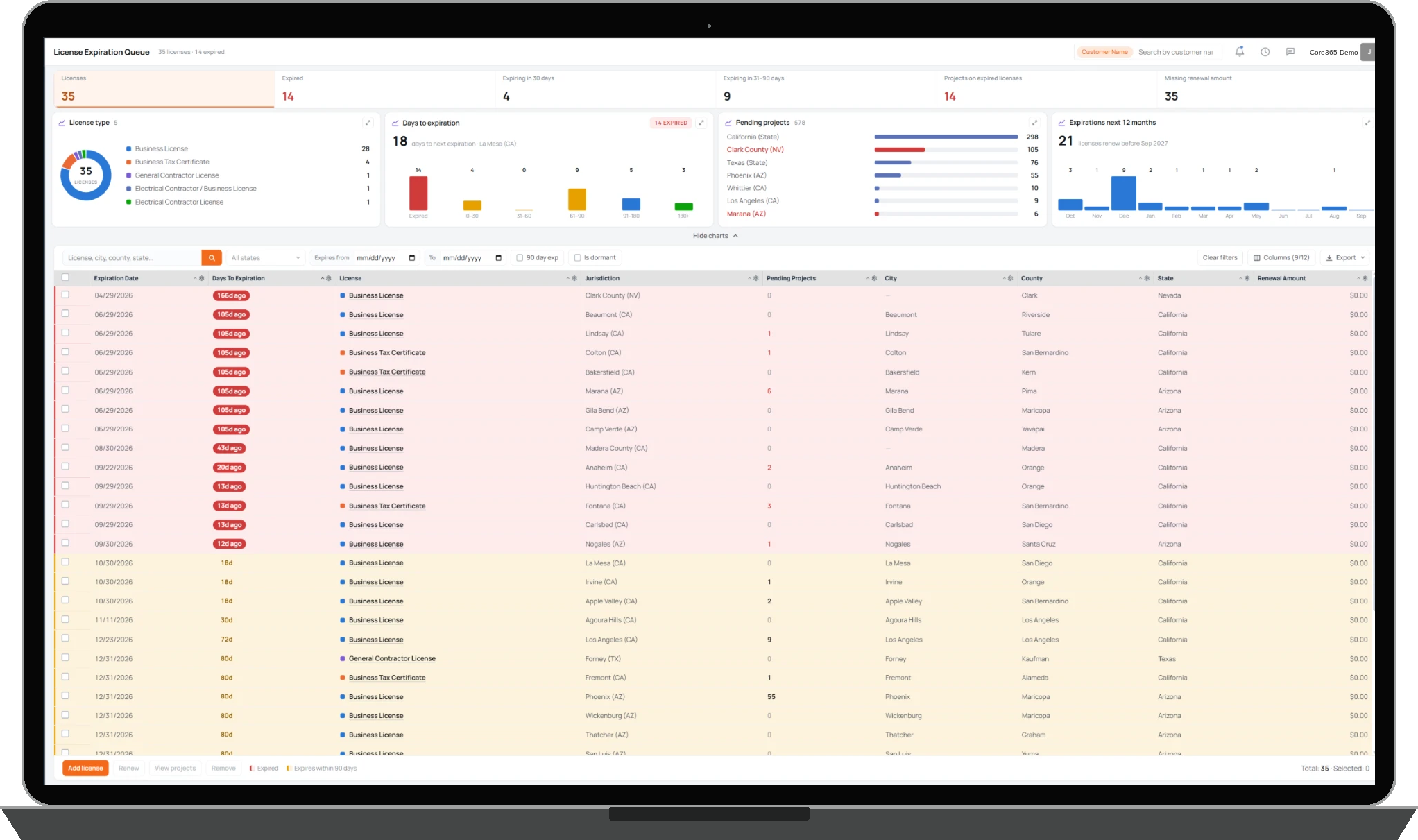
& CREDENTIALS
& EXPIRATIONS
CONTROLS
How It Works
Coral365 gives companies a central place to manage business licenses, registrations, and individual credentials. Organize licensing records by state, county, city, credential type, and other supported fields.
Companies maintain their own jurisdictional requirements, including applicable licensing, permitting, and sales restrictions. Coral365 connects these records to the operational activities that depend on them.
License expiration dates, upcoming renewals, and outstanding requirements are tracked through dashboards, alerts, and assigned workflows. Teams can manage renewal submissions, follow-ups, and related documentation in one system.
Depending on company configuration, Coral365 can warn users, identify affected projects, or restrict sales and project activities when licensing requirements are not satisfied. These controls extend into connected Core365 workflows, including Step365 field sales.
Company & Individual Credentials
Every License and Credential, Organized.
Manage company registrations alongside individual licenses and credentials for employees, sales representatives, contractors, and technicians. Keep records organized by license type and jurisdiction so authorized team members can review the information relevant to their operations.
- Company licenses and registrations
- Employee, representative, and technician credentials
- State, county, and city licensing records
Jurisdictional Requirements
Know the Requirements Before You Enter a Market.
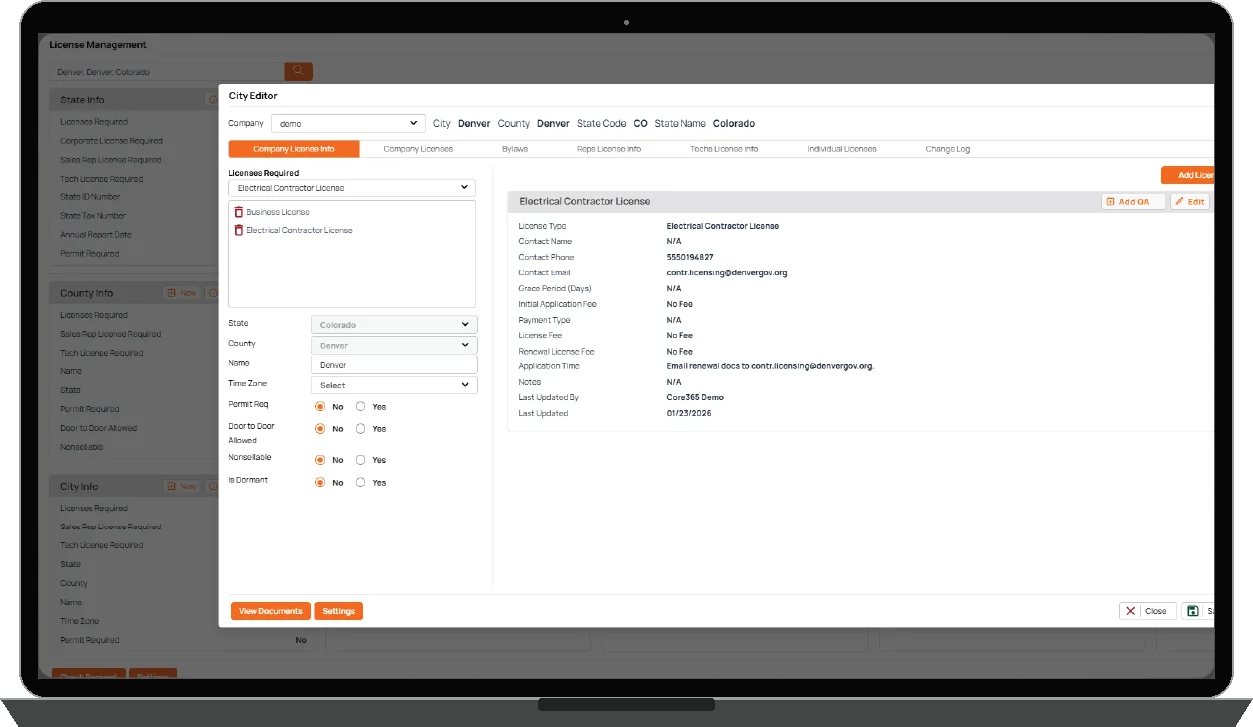
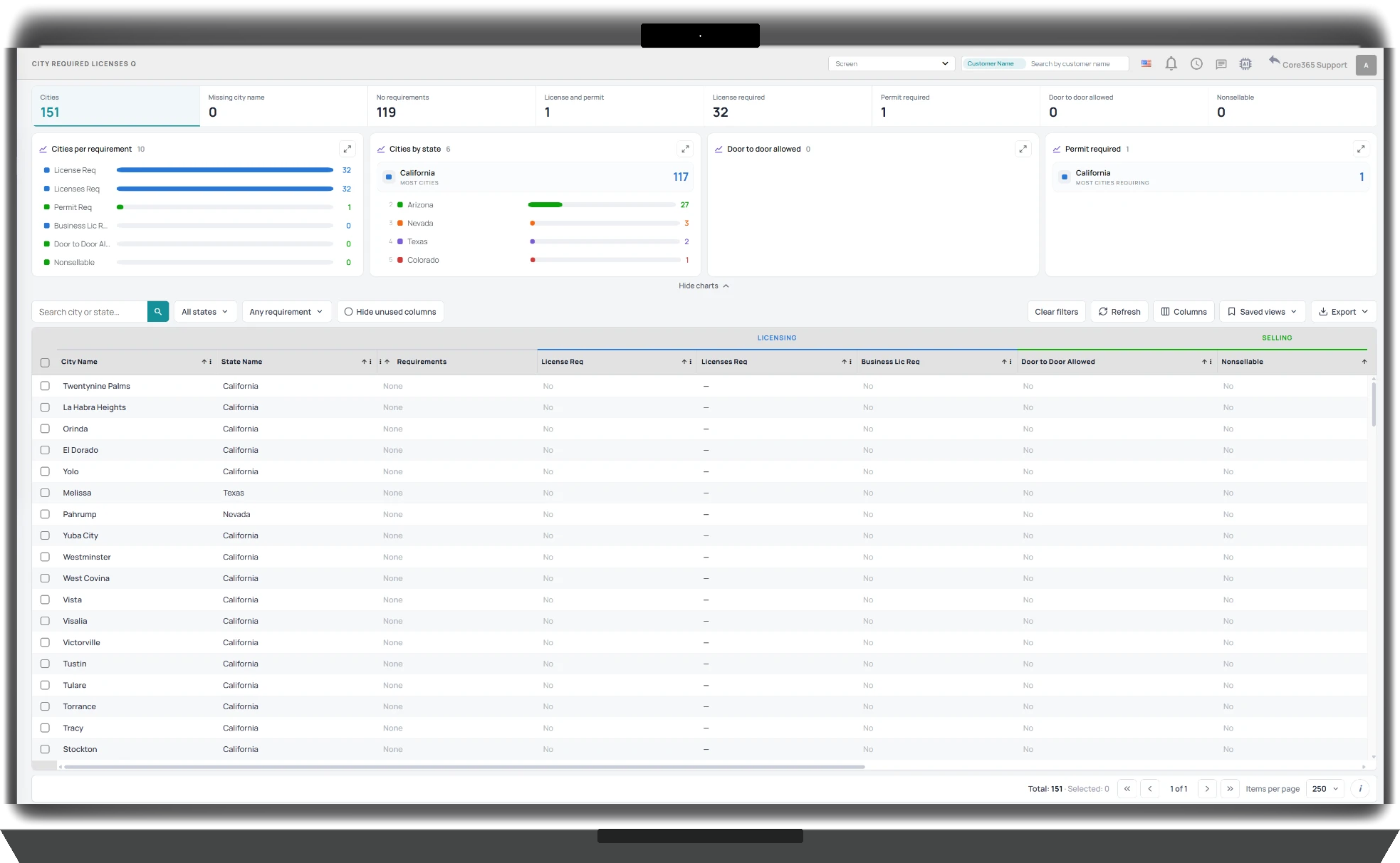
Every jurisdiction can have different licensing, permitting, and sales requirements. Coral365 lets companies maintain the requirements that apply to their operations, organized by state, county, and city. Teams can reference licensing requirements, permit conditions, and configured restrictions before proceeding with sales or projects.
- Customer-maintained jurisdictional requirements
- City and county licensing information
- Permit and sales eligibility fields
- Visibility into restricted or nonsellable areas
Expirations & Renewals
Stay Ahead of Expirations and Renewals.
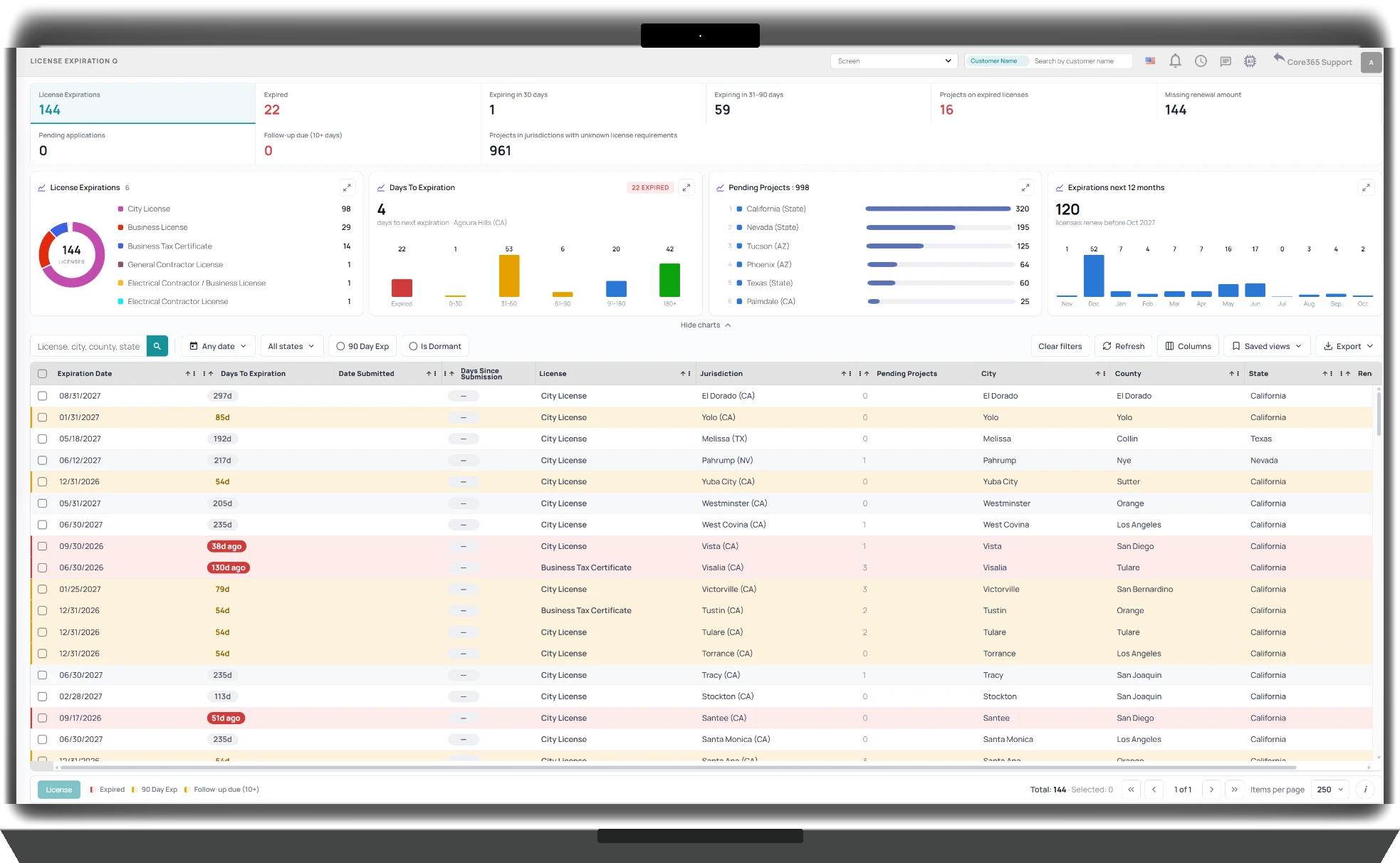
Coral365 tracks license expiration dates and helps teams manage renewals before credentials lapse. Use licensing dashboards, notifications, assigned tasks, and renewal follow-ups to coordinate work across jurisdictions. Teams can track renewal activity and identify credentials requiring attention.
- Expired and upcoming license visibility
- Assigned renewal workflows and follow-ups
- Renewal status and supporting records
- Licensing dashboards and queues
Licensing Controls Across Core365
Connect Licensing Requirements to Daily Operations.
Licensing information shouldn't sit in a spreadsheet disconnected from your sales and project workflows. Coral365 connects company-maintained requirements and credential records with other Core365 modules. Depending on configuration, the system can surface licensing warnings, identify projects affected by expired credentials, or restrict certain sales and operational activities until requirements are addressed.
- Configurable licensing warnings and restrictions
- Visibility into projects affected by expired licenses
- Connected sales and project workflows
- Step365 integration for canvassing and field sales
Your Licensing Records Should Work With Your Operations.
Connect business licenses, employee credentials, jurisdictional requirements, renewal workflows, and operational restrictions within Core365. Coral365 is included with every standard Core365 subscription.