
Forms365
Capture the Right Information. Keep Work Moving.
Build custom forms that fit how your business operates. Forms365 combines a drag-and-drop builder, conditional logic, field validation, and project-connected workflows with mobile data collection, including offline completion and later synchronization. From site surveys and inspections to service requests and operational checklists, Forms365 helps teams collect consistent information and act on it.
Book a Demo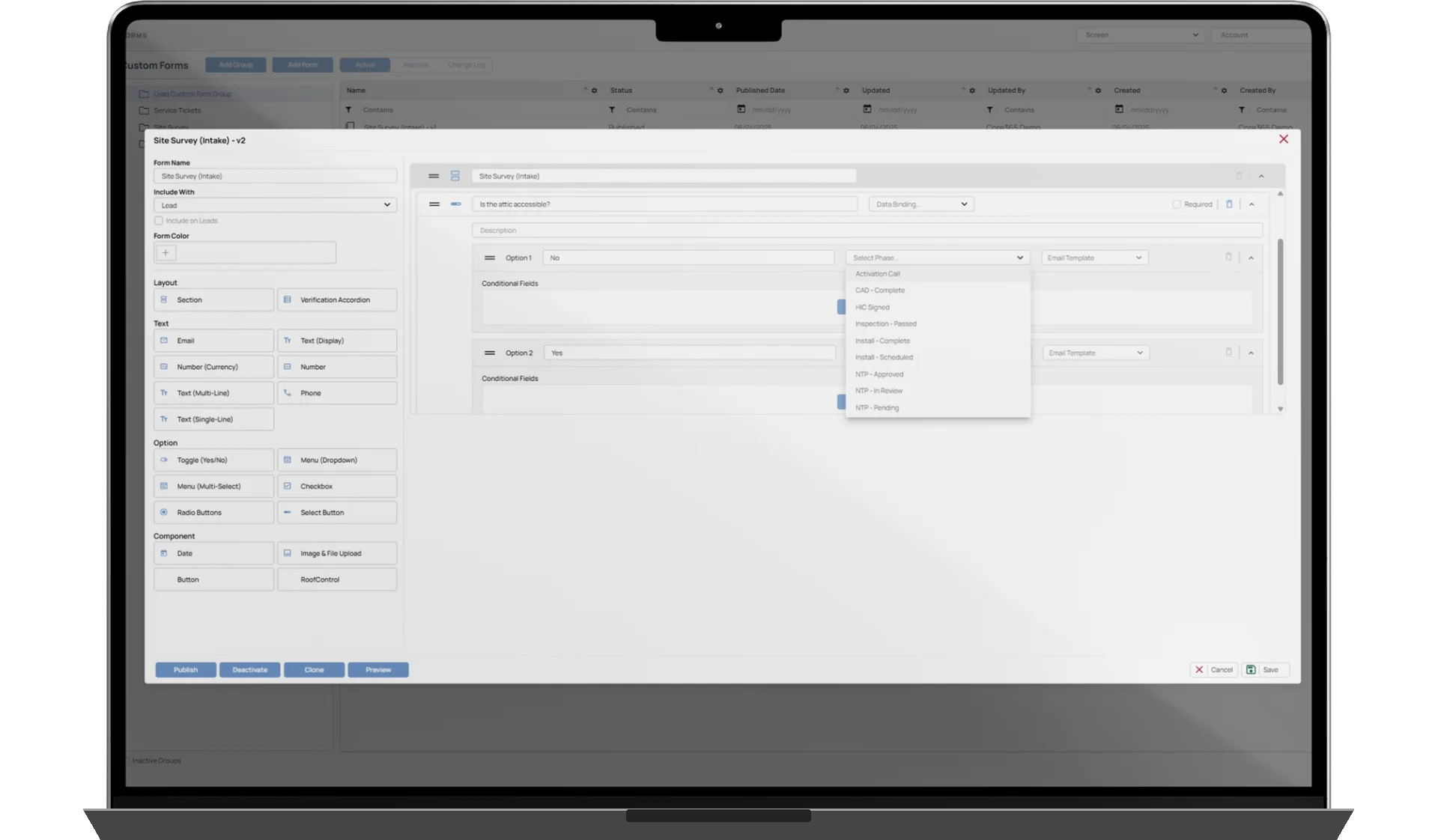
Create customized forms using drag-and-drop controls, validation rules, nested conditional logic, and repeatable sections.
Complete forms through supported Core365 mobile experiences, including offline completion and later synchronization.
Link forms to customer and project information, assign them to operational work, and configure actions on submission.
Forms Built Around Your Business
Forms365 gives authorized users the tools to create forms for different departments, projects, and operational requirements. Build straightforward checklists or detailed forms that adapt based on the information entered.
- Drag-and-drop builder with multiple input and selection field types
- Required inputs and configurable field validation
- Multi-section forms, repeatable groups, and nested conditional logic
Forms That Adapt to the Answers
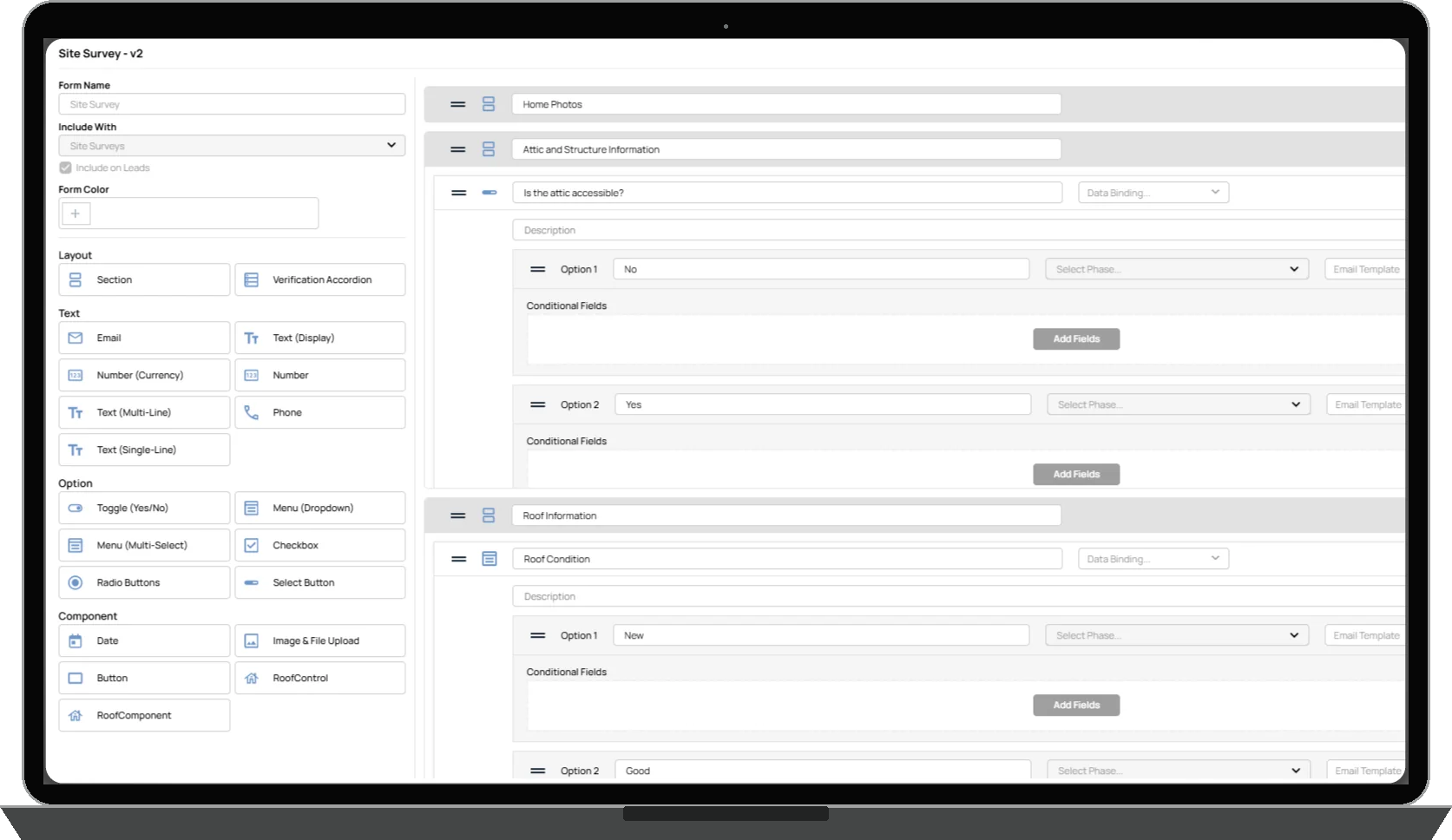
Use conditional logic to show relevant questions based on earlier responses. Nested conditions and repeatable sections collect additional information when it is needed without making every user complete the same lengthy questionnaire.
- Conditional question visibility and nested logic
- Repeatable form sections
- Required information and configurable validation rules
Configured requirements help structure submissions; they do not guarantee data accuracy or regulatory compliance.
Use Information Core365 Already Knows
Forms365 can prepopulate supported fields using information from existing customer or project records. This helps teams avoid repeatedly entering information already available within Core365 and provides context for operational forms.
- Supported customer and project data prepopulation
- Completed forms remain associated with the relevant workflow or record according to configuration
- Existing access permissions still apply; prepopulation does not imply universal bidirectional field synchronization
Turn Form Submissions Into Operational Actions
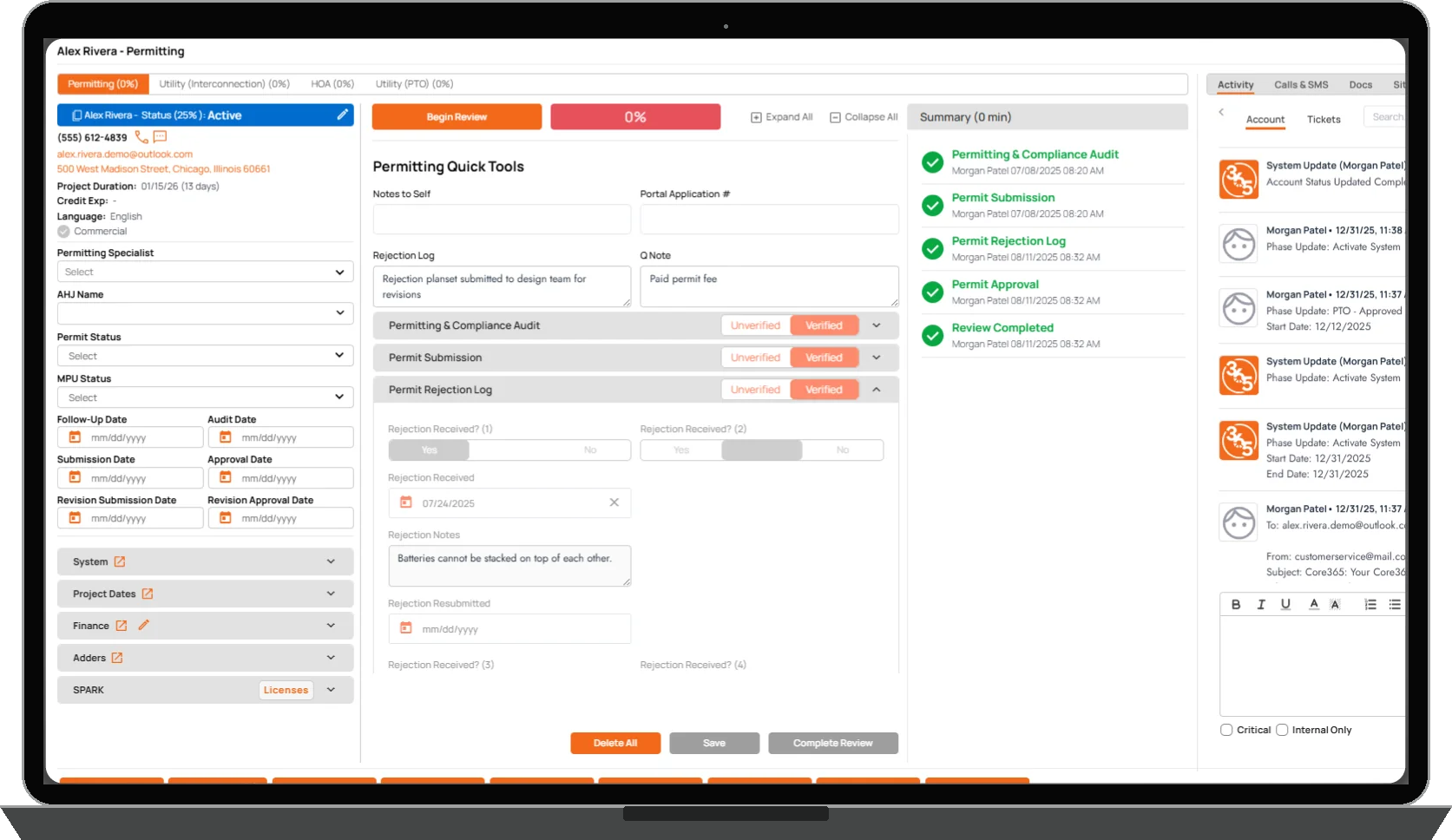
Forms365 supports configurable actions based on how a form is built and where it is used. Depending on the workflow, a submission can save information to the associated operational record, generate notifications, update a project phase, or initiate other supported actions.
- Assign forms to users, roles, or departments
- Require forms at defined project milestones and trigger them through configured workflows
- Submission actions depend on configuration; not every form advances a project or sends notifications

Capture Information Wherever Work Happens
Field employees can complete supported Forms365 forms through Core365's mobile experiences, including native mobile applications and browser-based access. Offline completion allows teams to capture information when connectivity is unavailable and synchronize supported submissions after connectivity returns.
- Mobile-friendly field inputs and photo collection in supported forms
- Site surveys, inspections, installations, and service visits away from the office
- Offline support varies by form and field type; synchronization is not guaranteed to be immediate

One Form Engine. Multiple Operational Workflows.
Forms365 supports structured information collection across Core365's connected operations. Forms can be associated with customers, projects, users, departments, and milestones as supported by the applicable workflow.
- Site surveys: property information, site conditions, measurements, and photos
- Inspections: details, required responses, and supporting documentation
- Installation: operational checklists and required project information
- Field service: observations, photos, and work-related responses
- Customer and project operations: structured information assigned to relevant workflows
These are examples of configured uses, not a claim that every workflow includes a prebuilt form.
Consistent Information Across Operational Workflows
Configured field requirements, validation rules, conditional questions, and repeatable sections help standardize information collection. Associating submissions with relevant Core365 records makes collected information available within operational workflows, reducing unnecessary re-entry and supporting the teams responsible for the next steps.
Forms365 manages operational forms and supported submission actions. The separately offered Automations365 provides broader workflows using supported triggers, conditions, branching, and actions. DocuVault365 provides document preparation, management, and electronic signatures. Forms365 does not replace either product or include their separate commercial terms.