
Procurement365
From Purchase Order to Job Cost. All Connected.
Manage purchasing, vendor orders, invoices, inventory, and actual project costs within Core365. Procurement365 connects bills of materials, purchasing workflows, OCR invoice capture, warehouse inventory, and job costing so your team can see what was ordered, what was received, and what each project actually costs.
Book a Demo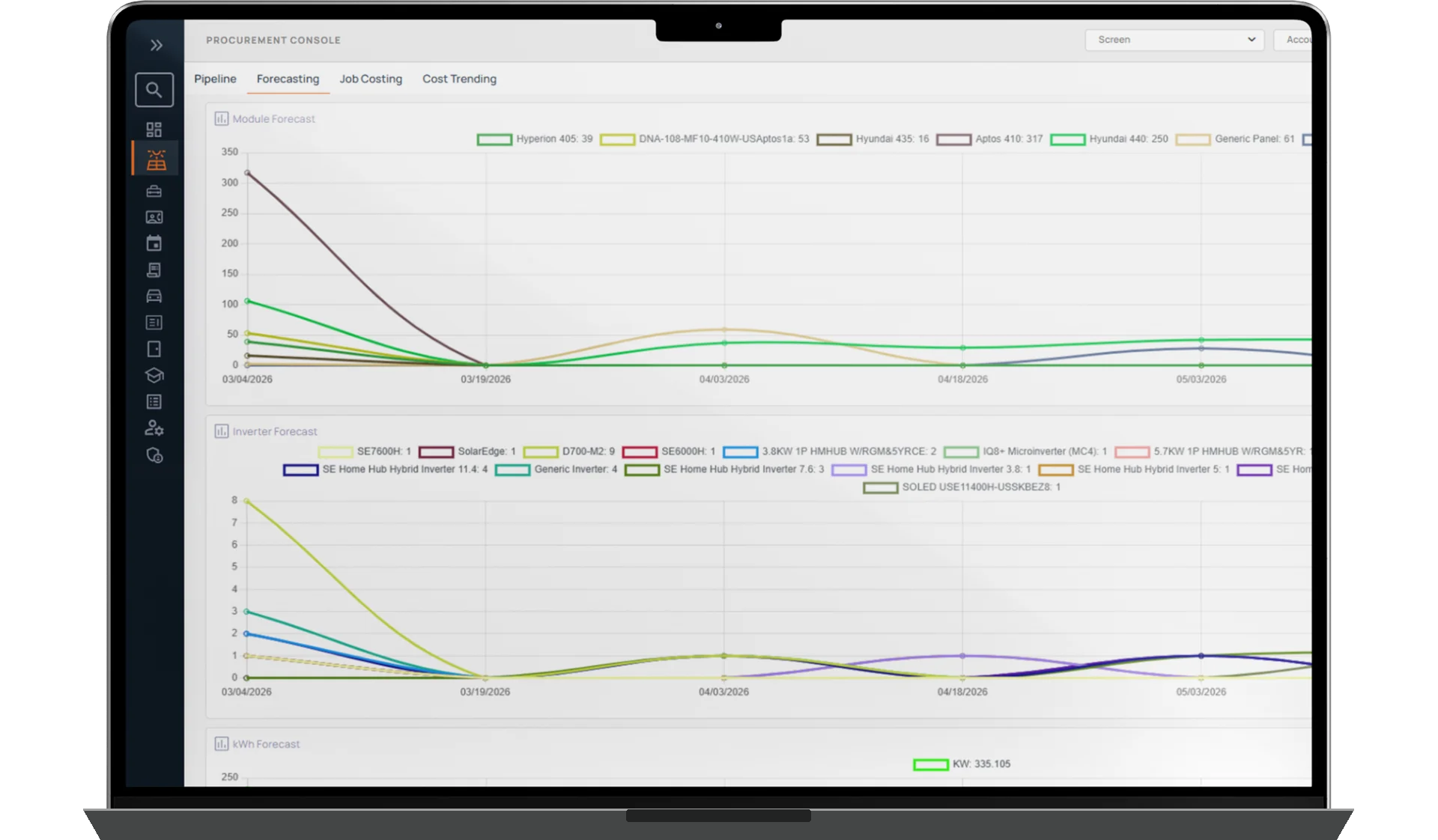
VENDOR ORDERS
INVENTORY
COST VISIBILITY
How It Works
Procurement365 connects material requirements with purchasing and actual project costs. Purchasing teams can create orders manually, from bills of materials, through supported project milestones, or based on inventory replenishment needs.
A single purchasing request can be split into separate purchase orders for different vendors. Orders can be sent directly by email, keeping purchasing activity organized around the materials and equipment required.
When vendor invoices arrive, employees can upload them for OCR processing. Procurement365 extracts invoice details, including line items, quantities, prices, taxes, and shipping, and supports matching that information to the appropriate purchase order or project. Missing and duplicate invoices can be flagged for review.
Inventory is managed by warehouse or location, with receiving, transfers, project allocations, physical counts, and discrepancy tracking. As materials are allocated to jobs, inventory and project costs are updated through the supported workflow.
Purchasing, inventory, and invoice information feeds into job costing and operational dashboards, helping managers compare expected expenses with actual costs.
Included with Core365. For solar and renewable energy, roofing, security installation and service, pest control, and other home service companies.
Purchasing & Vendor Orders
One Purchasing Request. Multiple Vendors. Complete Visibility.
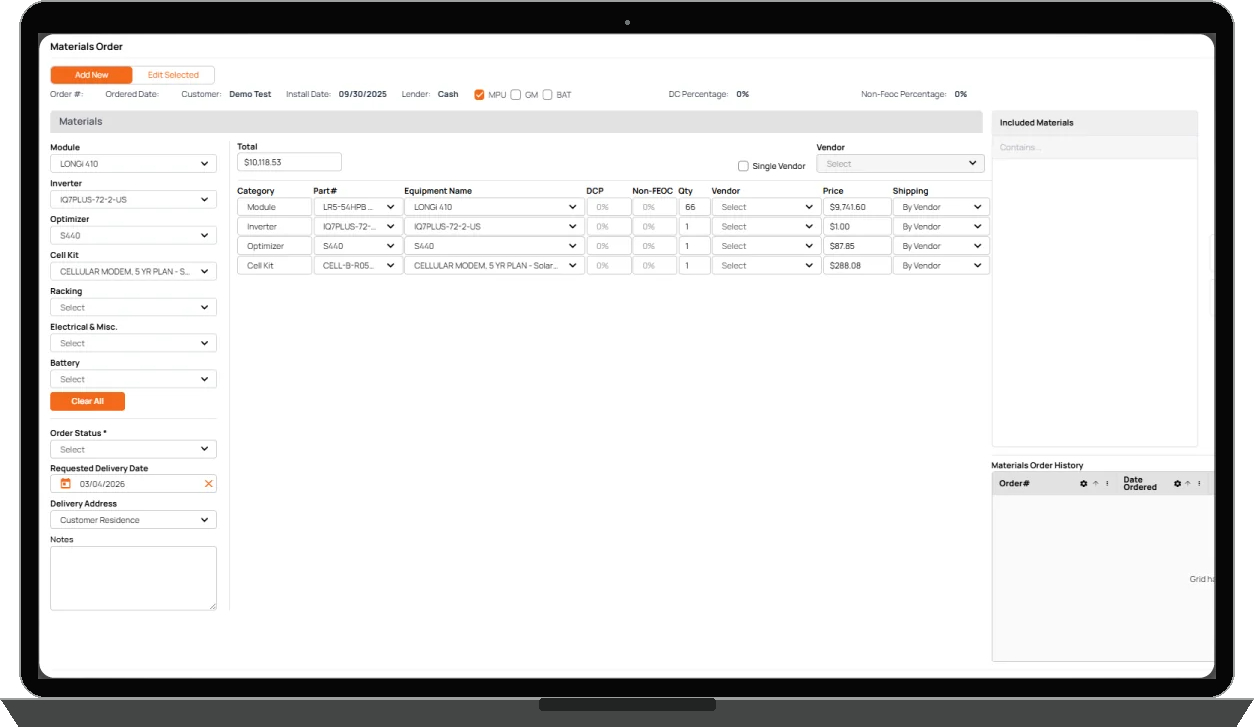
Create purchase orders from bills of materials, project requirements, inventory replenishment, or manual purchasing requests. When different suppliers are needed, Procurement365 can split a purchasing request into separate vendor orders and send them directly by email. Keep purchasing activity connected to the relevant project and material requirements.
- BOM-driven purchase orders
- Manual and milestone-based purchasing
- Multiple vendor orders from one purchasing request
- Direct vendor order emails
Vendor Invoice OCR
Upload the Invoice. Capture the Details.
Reduce repetitive invoice entry by uploading vendor invoices directly into Core365. Procurement365 uses OCR to extract vendor information, invoice dates and numbers, line items, quantities, prices, taxes, shipping, and other charges. The extracted information can be associated with the relevant purchase order or project, keeping invoice records connected to purchasing and job costs. Missing or duplicate invoices can be flagged for review.
- OCR extraction from vendor invoices
- Line items, pricing, taxes, and shipping
- Purchase order and project association
- Missing and duplicate invoice flags
- Separate vendor invoice approval workflows
Inventory & Warehouse Management
Know What You Have, Where It Is, and Where It's Going.
Manage materials and equipment across warehouses and locations. Procurement365 supports inventory receiving, project reservations, transfers between warehouses or crews, and physical inventory counts. Low-stock notifications and discrepancy tracking give purchasing and operations teams better visibility into the materials available for upcoming work.
- Inventory by warehouse or location
- Material receiving and project allocations
- Transfers between warehouses and crews
- Physical counts and discrepancies
- Low-stock and reorder notifications
Actual Project Job Costing
See What Each Job Really Costs.
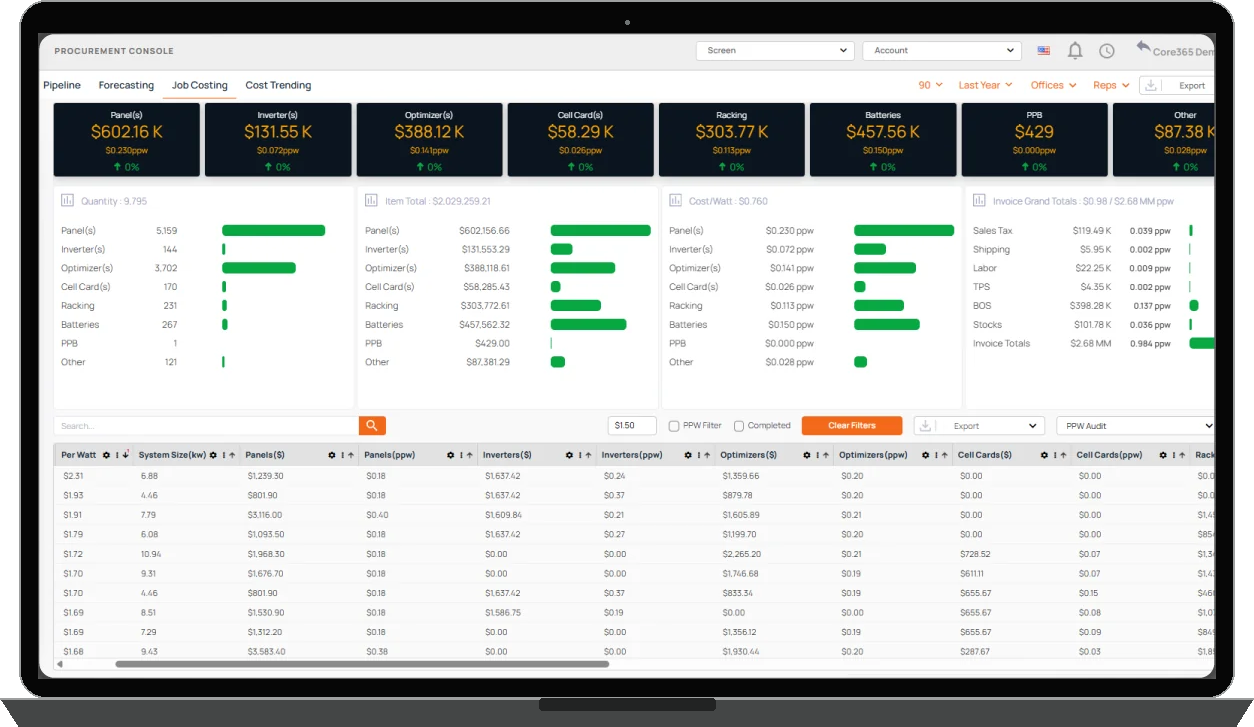
Procurement365 connects purchased materials, equipment, and actual vendor invoice costs to the projects where they belong. When materials are assigned to a project, the relevant costs are associated with that job and inventory balances are updated. Managers can compare estimated material expenses with actual purchasing and invoice costs to better understand project financial performance.
- Project-level material and equipment costs
- Actual purchasing and invoice cost tracking
- Estimated versus actual material cost comparisons
- Inventory consumption connected to job costing
Inventory Forecasting & Cost Visibility
Plan Purchasing With Better Information.
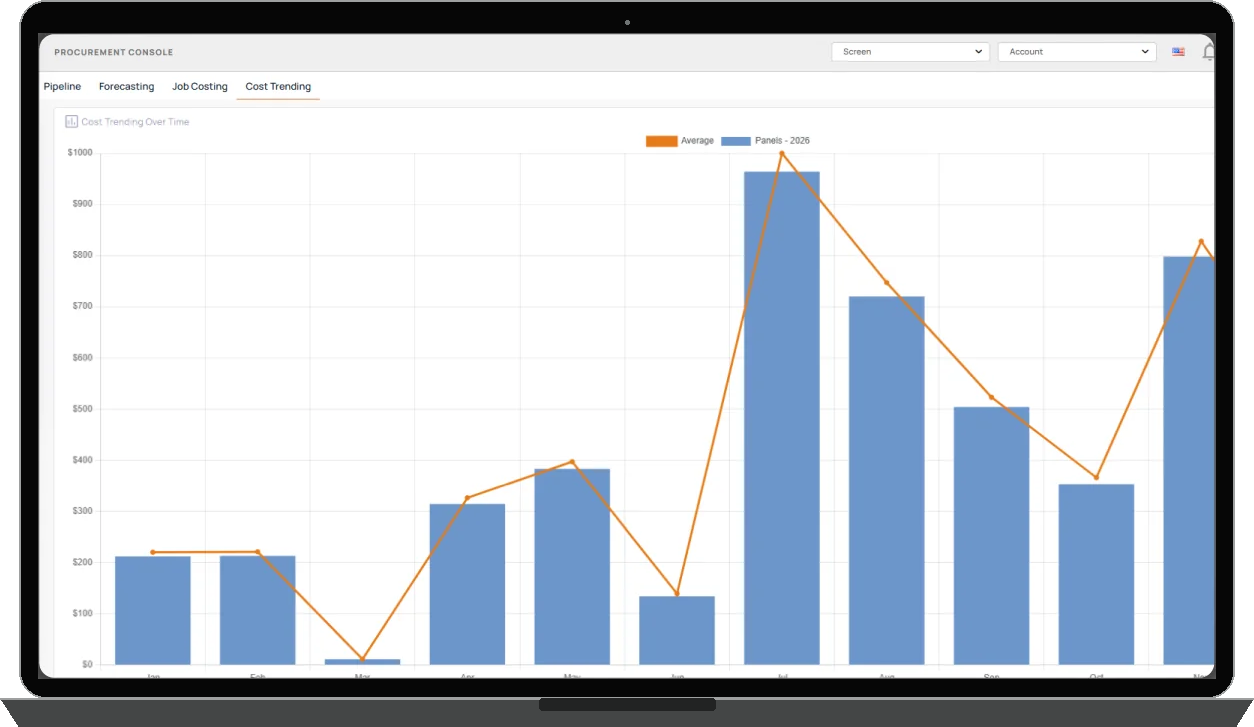
Procurement365 provides dashboards for purchasing trends, inventory levels, procurement activity, and project costs. Teams can review forecasting information, low-stock conditions, inventory discrepancies, and cost variances to support purchasing and inventory decisions.
- Procurement pipeline dashboards
- Purchasing and inventory forecasts
- Low-stock and discrepancy visibility
- Cost variance and job costing insights
Purchasing Connected to Vendors and Financial Operations.
Procurement365 connects vendor purchasing, invoices, and material costs with the broader Core365 workflow. Vendor365 supports vendor management and related payment processes, while Finance365 provides connected financial visibility, including job costing and relevant accounts payable activity. This helps teams manage purchasing and vendor expenses without treating every transaction as an isolated record.
Connect Purchasing, Inventory, and Job Costs.
From materials and vendor orders to invoice capture, warehouse inventory, and actual job costs, Procurement365 keeps purchasing connected to the work your business performs.