
Integrations365
Connect the Tools Your Business Depends On
Connect Core365 with the external platforms your business already uses. Integrations365 brings supported services for financing, communications, solar design, project information, monitoring, and other operational needs into connected workflows. Integration capabilities vary by provider, with configuration options and custom development available to support different business requirements.
Book a Demo
Connect Core365 with supported external services across financing, communications, design, monitoring, and operations.
Supported connections can receive, send, or exchange information in both directions, depending on the provider.
Configure supported integrations and develop additional connections based on your organization's requirements.
How Integrations365 Works
Core365 connects with supported external applications through provider-specific integrations. These connections allow information and functionality from third-party systems to participate in Core365 workflows, helping teams work with relevant data without unnecessarily switching between disconnected applications.
Depending on the provider, integrations may import information into Core365, send information to an external service, or support bidirectional exchanges. Authorized administrators can configure certain existing integrations directly, while others require credentials, assistance from the Core365 team, or additional implementation steps.
When a business needs a connection that is not already supported, Core365 can evaluate the requirements and scope custom integration development. Connected services are not fully reproduced inside Core365; users may still need external providers for certain functions.
Manage Supported Connections in Core365
Core365 provides centralized configuration capabilities for supported external services. Depending on the provider, authorized administrators can manage available integration settings, select supported services, and configure provider-specific options. Other integrations may require implementation assistance or custom development.
- Centralized settings and provider-specific configuration
- Supported activation and tenant-level configuration where available
- Core365-assisted implementation when required; provider credentials or agreements may be needed
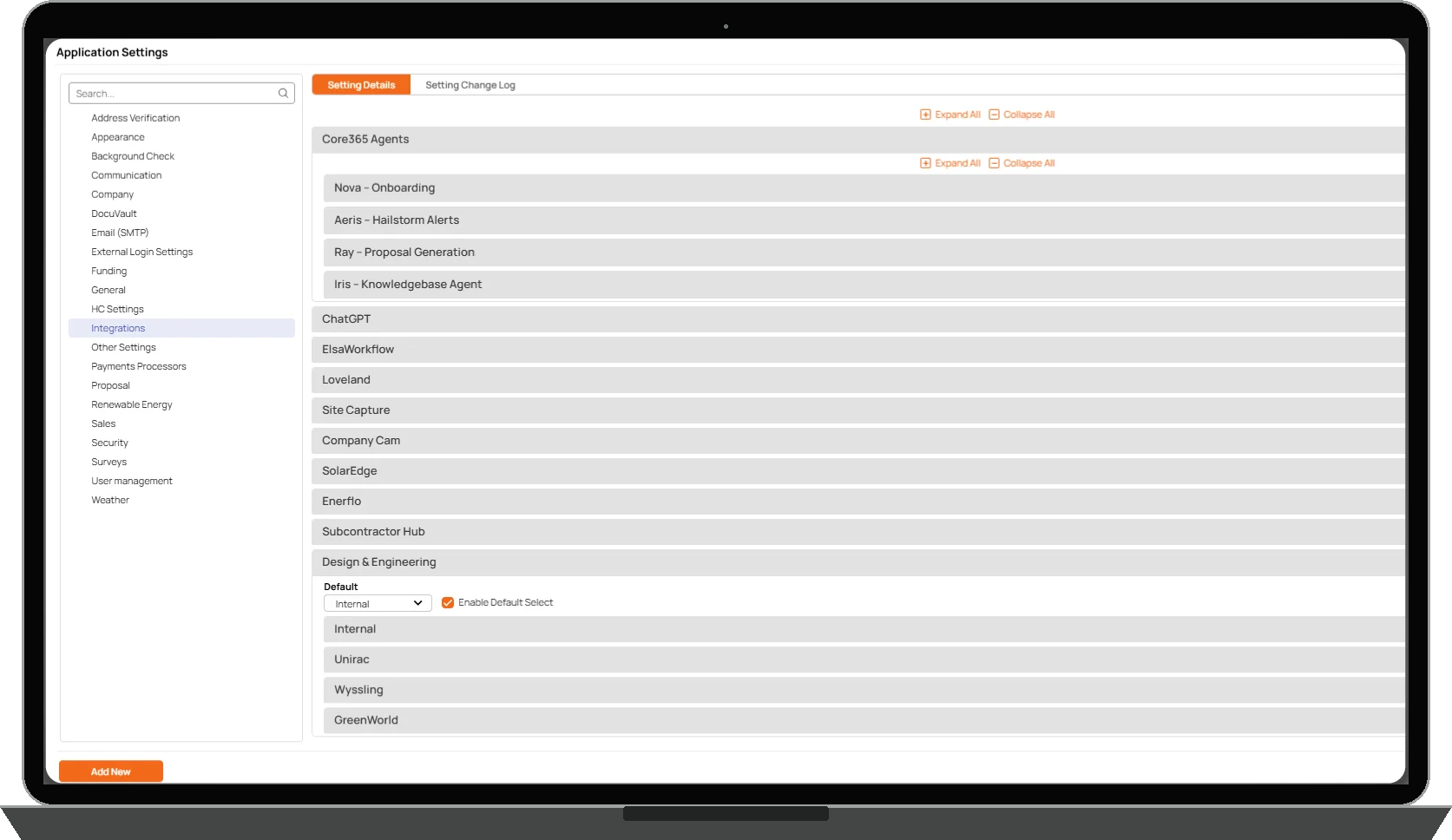
External Services and Integration Categories
Every provider currently listed on the Integrations365 website has at least one working integration. Available functions differ by provider; a displayed logo does not mean every possible integration capability is supported.
- Solar design and proposals: Aurora, OpenSolar, SOLO, and Lightfusion; functionality depends on the implemented connection
- Communications: Dialpad, Nexxis, and Twilio support configured calling, messaging, or related workflows; features differ by provider
- Financing: lender-specific application, status, stipulation, or funding information where supported; no universal submission or automated lending decisions
- Project and field information: Site Capture and CompanyCam support provider-specific project photos, site information, or operational data
- Monitoring and operations: SolarEdge, Enerflo, Subcontractor Hub, Google Calendar, and background check services; supported capabilities vary
- AI and specialized services: ChatGPT, Callpilot, and Lightfusion; connections do not grant unrestricted data access or make every Core365 feature AI-powered

The Right Data Flow for Each Integration
Not every integration works the same way. Some connections bring information into Core365. Others send information to external providers. Certain integrations support data moving in both directions. Available exchange depends on the provider, supported API, implementation, and workflow being used.
- Inbound data integrations
- Outbound data integrations
- Bidirectional exchange where supported; not universal real-time synchronization
Built for Different Systems and Different Workflows
Integration requirements differ from one provider to another. Communications connections may support calling or messaging; lender connections may expose financing status or stipulations; design providers may support proposal-related information; monitoring providers may supply system data. Core365 supports each connection according to the provider's available capabilities and the integration implemented for the customer.
Integrations365 connects external services. Separately offered Automations365 provides configurable workflows using supported triggers, conditions, branching, and actions. An integration may supply information to a workflow, but does not include all Automations365 features or allow new integrations to be built without development.
Need Another Integration? Let's Evaluate It.
When Core365 does not already support a required integration, the team can review the provider's capabilities, define business requirements, and scope a custom connection. Most new integrations require technical evaluation and development.
Existing supported integrations are generally included with Core365. Custom development may involve additional costs; approach, timeline, and costs depend on available provider interfaces and requested functionality. Not every external system can be integrated, and implementation timelines are not guaranteed.